Archive for the ‘Vintage Computing’ Category

A2 proto board update

Friday, March 30th, 2012

After an email exchange with Vince Briel where Vince casually indicated that the A2 community really needs a prototyping board, I’ve decided to raise priority and get a batch of these prototype cards built.

I’m a little concerned about timing, especially with the 6522. The Mockingbird board, which also uses the 6522, does some strange stuff with clock timing and I need to really investigate what is going on with a real board. So, before doing the production build, I need to get a prototype proto board working.

Normally, I would just etch a prototype PCB at home, but a proto card needs a bunch of holes drilled in it which would take a long time to do manually and besides, I might need to make some significant changes, which is easy to do with wirewrap. In addition I had on hand an Apple Hobbyboard, which is ideal for this project. The Hobbyboard had been used before for a simple temperature sensor project that I did in the 80’s, but the old circuit had been removed from the board a few years ago. So in the last week, I have wirewrapped the new circuit onto the old Hobbyboard.

prototype proto board

prototype proto board

I haven’t gone very far in debugging because I keep frying the 16V8 GAL chips I’m using to cut down on chip count (and leave more prototyping space). Could be something to do with the ancient Data I/O Pal programmer I”m using. Anyway, there is real progress being made on this project and I hope to get things squared away so I can make a build this spring or summer.

Bare Mimeo PCBs now available

Tuesday, March 27th, 2012

Price is same as before ($150).

Follow this link for more information.

http://www.willegal.net/appleii/apple1-kit.htm

Kits will be available this summer.

VCF EAST – May 5th and 6th – Wall, New Jersey

Friday, March 16th, 2012

There are going to be some great speakers this year. Make an effort to join the festivities – it’s a great time.

VCF EAST 2012 flyer

New Foam For Imagewriter

Saturday, March 10th, 2012

During the clean up of the mechanism of the Imagewriter, I found that the old foam which was attached to the enclosure was disintegrating. I’m sure that the foam was placed there to help reduce the sound, as the machine is quite loud. It was so far gone, that it was making a mess of everything. I had to replace this foam, because putting the cover back on the chassis with all it’s bad foam, would have created a new mess in no time. While testing the printer and waiting for replacement foam, I left the cover off and shorted the switch that normally disabled the printer when the cover was removed.

All the foam pieces were installed on the cover of the printer, except for one piece that was installed in the bowels of the chassis. That piece was still in relatively good shape. There was another circular piece on the cover that went around the carriage which was also in good shape. I left these two pieces of original foam alone.

The replacement process worked like this. I measured the thickness of the foam and found that all pieces were 1/4″ thick. Since I couldn’t find anything likely to work during a visit to Home Depot, I went online and ordered a couple of different weights of Volara 1/4″ foam from Foam Factory’s online site. One reason I chose the Volara foam, is that it was described as being good for acoustical purposes. The stuff I ended up using, was the heavier 4 pound density. This wasn’t an exact match, but I would call it a fairly close match to the original foam.

Once I got the new foam delivered, I went to work removing the old foam. I soaked the old foam in Goo Gone and carefully scraped it off with a small paint scraper. I was a little worried about the Goo Gone stripping the paint or melting the plastic of the printer, but this did not happen. Removing the foam took at least an hour. After cleaning the cover with soap and water, I went to work putting the new foam on. I cut the new foam with a paper cutter so it would have straight edges and glued it by spraying with Scotch general purpose 45 spray adhesive. The reason why I chose this adhesive is that the can indicated that it was good for foam. It was also cheap! The glue works a little like contact cement in that it is best to let it set up a bit before applying the foam.

This is the result of my foam job. Note that the magnetic switch seen on the right side of this picture was removed from the cover while I did the work.

New Foam For Imagewriter

New Foam For Imagewriter

Datanetics Keyboard PCB Rerun Possible

Friday, March 9th, 2012

If 6 people make firm commitments to buying a Datanetics keyboard PCB, I would be willing to make a rerun. Cost would the be the same as before – $79, but would not include brackets or anything other than the PCB. Drop me an email if you are interested.

Reproduction Datanetics Keyboard

Reproduction Datanetics Keyboard

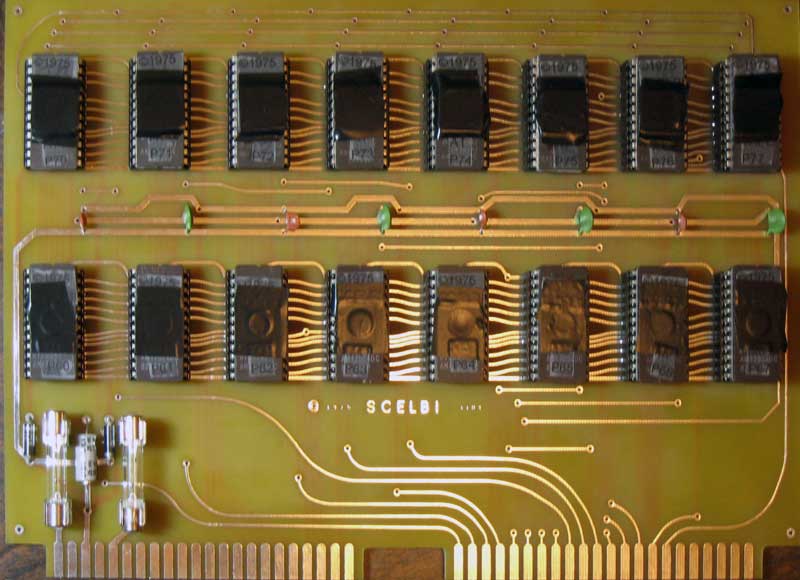
How do you layout a Scelbi CPU card in 14 seconds?

Wednesday, February 29th, 2012

Click here to see it done: Scelbi Layout in 14 Seconds

Mac 128K and Imagewriter Working Together Nicely

Friday, February 24th, 2012
MacWrite printout on Imagewriter

MacWrite printout on Imagewriter

Mac 128K up and running

Tuesday, February 21st, 2012

The memory chip replacement I mentioned in the previous post was routine and got the motherboard up and smiling.

I figured that since I had the machine apart, I should clean and grease the floppy drive. This turned out to be an adventure that took a good part of three days.

Since I had never successfully restored a floppy drive to working condition in a couple of previous attempts on more modern macs, I was a bit concerned. First I found a couple of web sites that described what to do, or so I thought. I followed the directions cleaning some of the gunk off of the worm gear and the mechanism and then lightly greased it. However when I tried to boot the machine, it barely worked. I was able to boot the machine only two times between countless failures. Once booted, it seemed stable, so I was fairly certain that the problem was in the drive, not the motherboard. At this point I disassembled and cleaned the drive, some more. This repeat effort also resulted in a drive that barely worked.

At this point, I really studied the mechanism and determined that a clean worm gear is critical to proper head positioning. A dirty worm gear or worm gear follower could really mess positioning up. As it rotated, any grime or dried grease could shift the follower forward or backward a bit, ruining head positioning. I went back and cleaned more gunk out of the gear and removed piece of grime that had attached itself to the follower.

I also examined the circuit board to see what kind of debugging or calibration was possible. The parts all seem to be off the shelf parts, that should still be attainable, and their data sheets are on line, so I felt comforted by that. There are only two two calibration points. One is the read amplifier gain, and the other is the differential input phase adjust. There is no adjustment for the motor speed control, which is somehow controlled by software, anyway. For now, I left both adjustments alone. I did measure resistance of the adjust pots, so I could put it back to factory settings, in case I decided to change either setting later on.

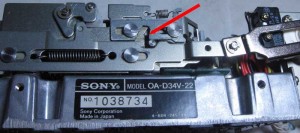
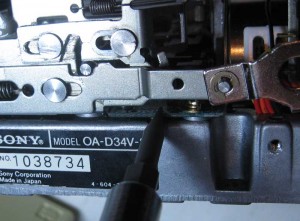
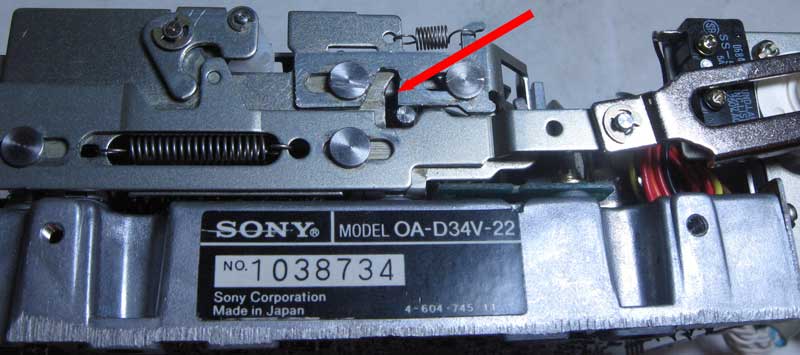
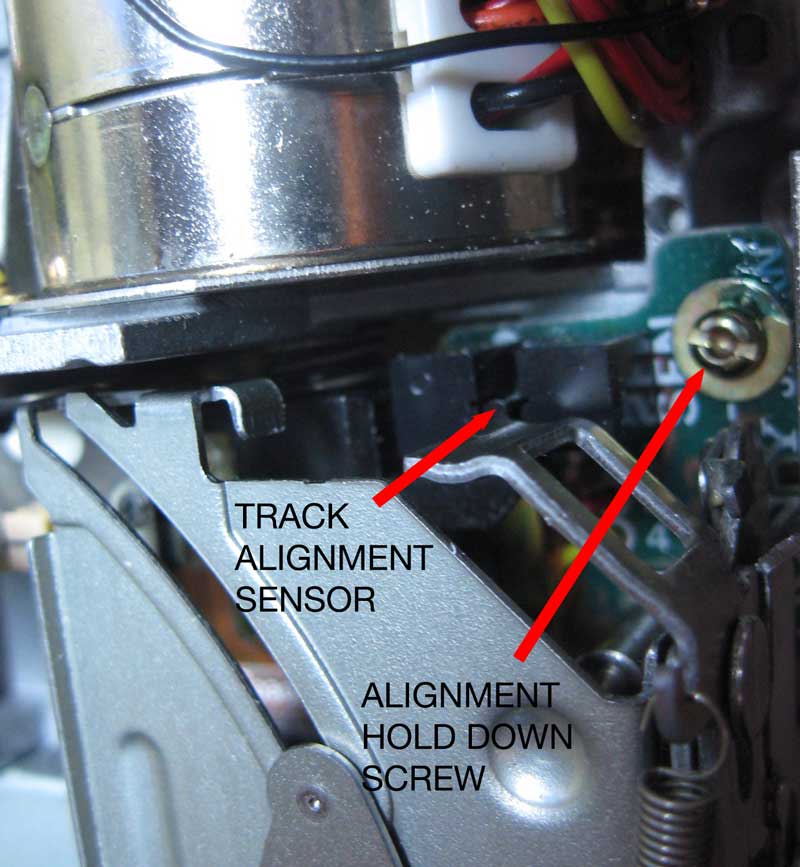
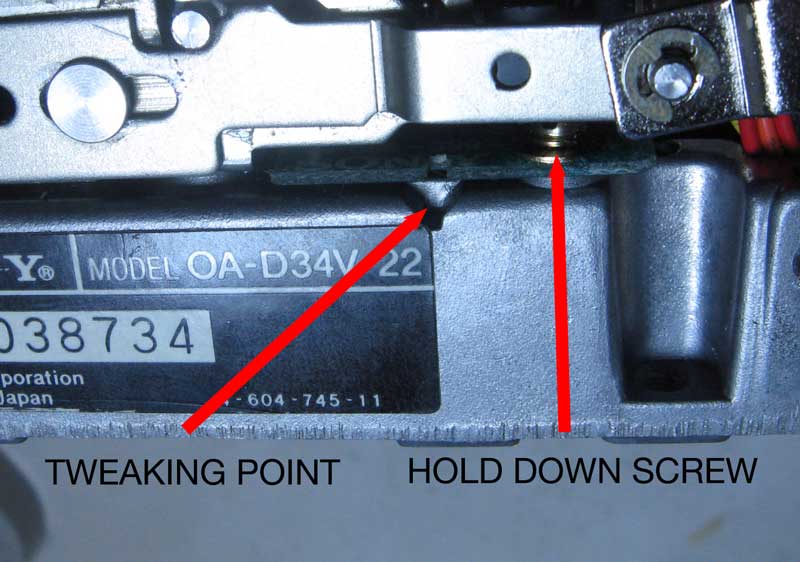
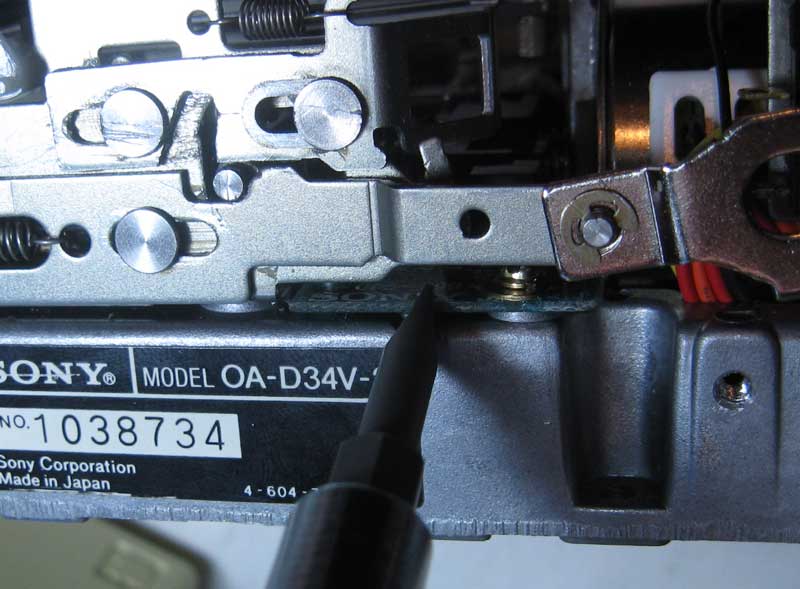
I also partially disassembled the sliding mechanism and really cleaned it out, which you can’t do without disassembly. The red arrows in the image denote slip rings and a spring that need to be removed in order to do this. Don’t do this in a carpeted area, since you may never find a dropped slip ring in a carpet. At this point the mechanism worked as smooth as new and I thought I had a chance for success.

floppy drive disassembly points

floppy drive disassembly points

This time, rather than reassembling into the carrier housing, I just attached via the ribbon cable and used some paper to insulate the drive from the chassis. Once again, the drive didn’t work. Somewhere around this time, I placed the drive upside down outside of the chassis in order to get a better view of things. Lo and behold, it booted several times in a row. I played with the machine for a while before going to bed.

The next day, I moved the drive back into the chassis, just prior to reassembling and it started behaiving badly again. Moving it back out of the chassis, it started working again. Maybe it was sensitive to position, since it was on it’s back when outside the chassis and in it’s normal position when inside the chassis. Moving the drive right side up, and setting it carefully into the chassis, I immediately encountered more errors. Trying different positions only revealed that it didn’t work when in it’s normal position inside the chassis.

I was stumped. This drive is very well built, I didn’t see anyway in which gravity could affect operation. In fact, it is so well built that I thought that it would be very unlikely that it could ever get out of mechanical adjustment. Do to this, I resisted the great temptation to fool with mechanical adjustments. I know there is a website that suggests raising the head could help things. Based on what I saw, I figured that that was unlikely to significantly help matters, especially when the problem for that person really could have been a dirty worm gear or follower throwing the head positioning out of kilter.

I even got out my scope and checked the phase adjust test points. The phase relationship between the two signals was dead on. I thought it was unlikely that there was a problem with the circuit, though gain could still be off. I had no real way to know what gain should look like, so I left well enough alone.

I put things back together and tried some more experiments with positioning the unit, only to find that putting it in the chassis brought bad performance.

Finally, it struck me, the CRT was right next to the floppy when I had the floppy in the enclosure. In addition, I had removed the shielding/mounting bracket for my testing. EMI from the high voltage CRT was screwing up the drive read and write capability! Loosely putting the mounting bracket over the drive to shield it from the CRT, quickly changed performance from awful to normal! I had solved the issue.

A couple of lessons learned about Mac 400K drives should be shared here.

  • Never muck with mechanical adjustments – these devices are very well built and never should need adjustment
  • You should not need to muck with gain or phase, if you do, make sure you record factory settings before you change anything
  • Never operate it loosely in the chassis without proper EMI shielding from the CRT
  • If you are mechanically skilled you should take the mechanism apart to really get it cleaned and lubed properly
  • The worm gear should be as clean as you can get it
  • Clean the follower arm where it follows the worm
  • The good news about this, is that I believe that these mechanisms are extremely well built and should last a long time with a bit of careful maintenance.

    new toy

    Saturday, February 18th, 2012

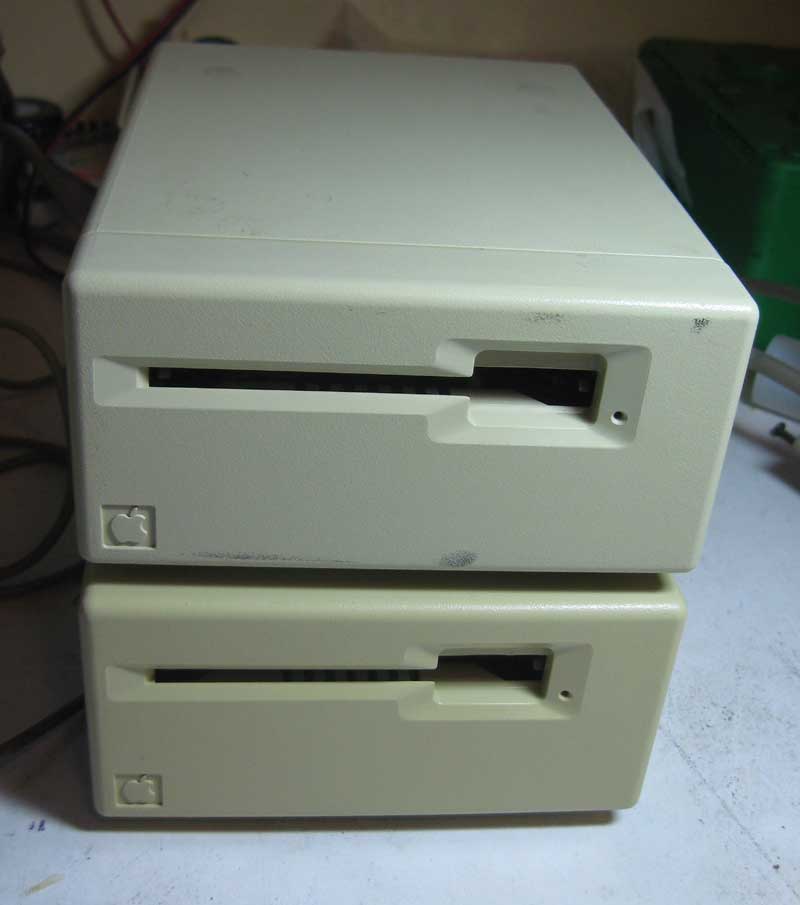
    I really don`t need another retro project, but I managed to pick up an all original 128K mac this weekend. I got it from a local source for a fair price. It does need a DRAM repair, but I have original mac 128K drams left over from a 512K upgrade that I did on my original unit back in 1984! I`ve really been wanting to get one of these computers. The original unit I bought back in 1984 was so upgraded, hacked on and otherwise beat on, it was beyond reasonable restoration. I had to turn it into a macquarium. On the other hand, the unit I just picked up, appears almost completely original and hardly used. I still have my original 1984 imagewriter, so this is going to be quite a retro trip. I already found a couple of books I have saved, including Doug Capp`s “Macintosh”

    Wozanium fix for new Apple 1 Program/Hack

    Saturday, February 18th, 2012

    It’s been a while since I found an Apple 1 program that didn’t run on the Brain Board/Wozanium, but there is a new program out for the Apple 1 that uses the ACI for audio out.

    http://www.applefritter.com/content/8k-apple-i-ascii-graphics-lunar-lander-aci-audio-hack-0

    Copied here, is my post on the Applefritter forum, describing the fix.

    This program will not work as is, with versions Brain Board/Wozanium pack firmware less than version 5.2. There is an issue with the the gosubs 750s in the 900 range (at the end of the program). Those gosubs call directly into the original Cassette interface driver to generate sound. This driver is still present in the Wozanium PROM, but is incompatible with Apple II hardware and will crash the system.

    There are several fixes available.

    1) remove the call 750s at the end of the program. LInes 900 and 910.

    2) Change the pokes in line 999 to call the Wozanium A2 cassette Driver at 0xd0d7:
    999 POKE 750,169:POKE 752,32:POKE 753,215:POKE 754,208:POKE 755,96:RETURN

    3) If you have a PROM burner, fix the Wozanium cassette driver to work with the A2 hardware by erasing a bit in the PROM – change location 0x01EA in PROM from 0xBC to 0xAC.

    4) If you don’t have a PROM burner, send your board or prom back to me and I’ll erase the bit for you.

    With fixes 2, 3 or 4 in place, you can attach a preamp to the cassette output of the Apple 2 and get the same sounds as if you were running on an actual Apple 1. It’s kind of funky because the A2 has a built in speaker, which is bypassed, but it works.

    If you are running a Wozanium PROM image in an Apple II emulator either:
    1) remove the call 750s at the end of the program. Lines 900 and 910.

    2) change line 999 to call the Wozanium ACI driver at 0xd1d7:
    999 POKE 750,169:POKE 752,32:POKE 753,215:POKE 754,209:POKE 755,96:RETURN

    Finally if you don’t have a preamp for the cassette output, there is an inexpensive design on my website that will work for this application.

    http://www.willegal.net/preamp/preamp.htm