Archive for the ‘Apple II’ Category

Mind Blowing Apple Add On Update

Friday, January 7th, 2011

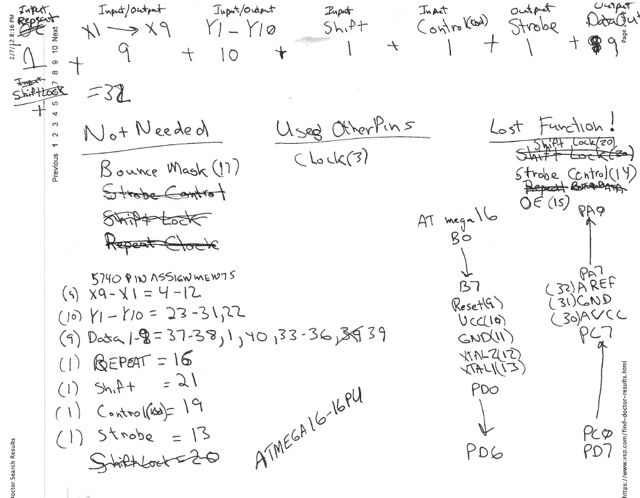
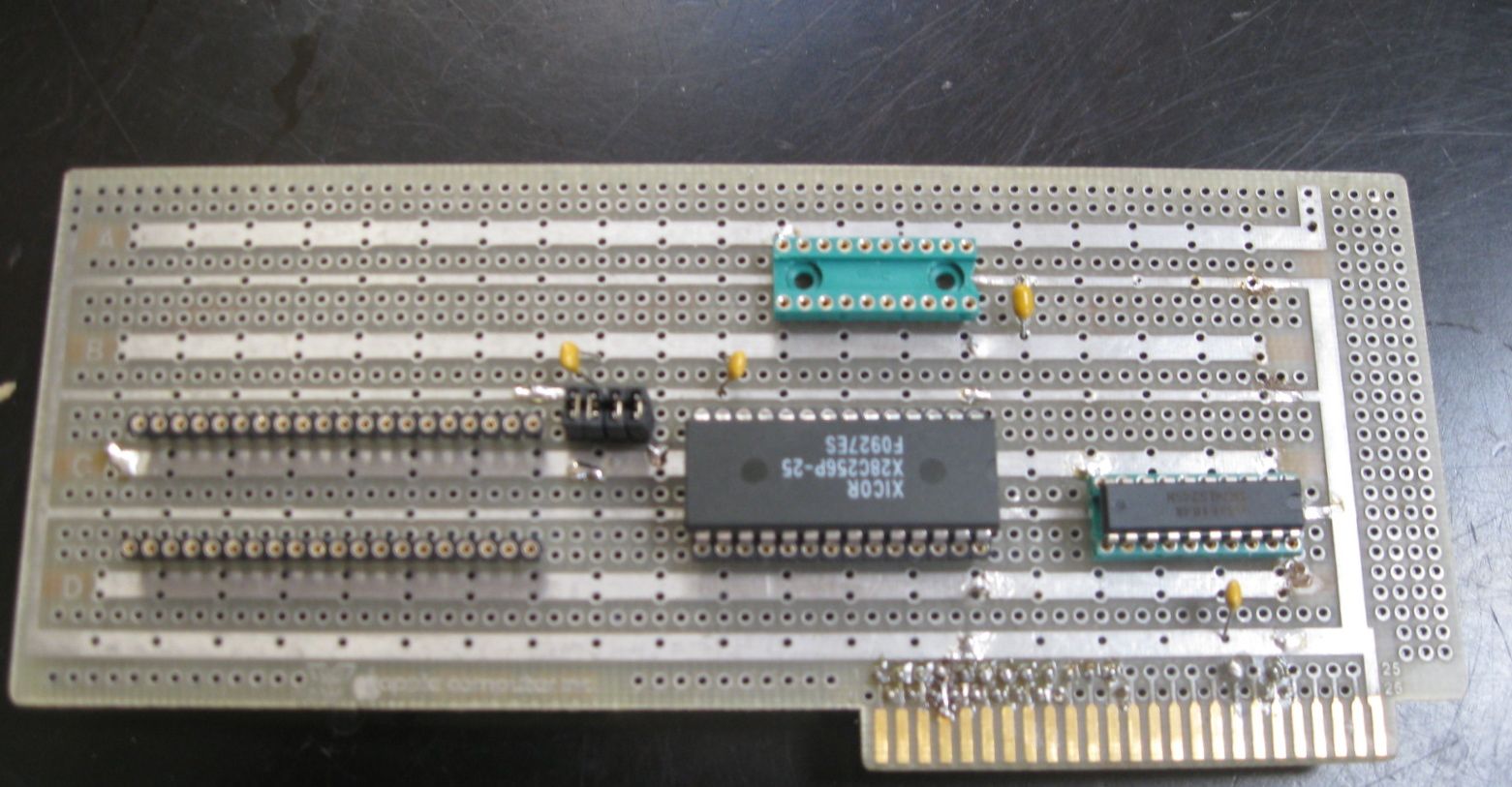
This “Apple Add On” project is nearly complete. I have a prototype working, but need to tweak the software a bit. If I had pushed it. and put the Datanetics project aside, I could have completed it prior to Christmas. However, I have a bit of money tied up in the Datanetics PCBs and wanted to recoup at least some of it, before proceeding with another project that included a PCB build. That Datanetics PCB build is one project of mine that will never pay for itself, so don’t expect a rebuild in the future.

I have purchased a few of the more expensive components for the “Apple Add On”, along with some Datanetics parts that I needed. However, I’m not proceeding with the rest of component purchases or PCB build until the remaining 3 Datanetics PCBs are sold. If I can’t sell the remaining Datanetics PCBs via my my blog by the end of the month, I’ll go the eBay route. If you are thinking of waiting for the eBay sale, keep in mind that I will probably raise the price for the eBay sale, to account for added eBay costs. Selling these boards will free up enough “hobby” money to allow me to move on the “Mind Blowing Add On” PCB build.

radial blur

radial blur

I’m anxious to get moving on this, as I think it is a pretty nifty project that will sell for well under a hundred bucks and a lot of Apple enthusiasts will get a kick out of.

New “Mind Blowing” Apple Add On Coming Soon

Sunday, December 12th, 2010

stay tuned.

radial blur

radial blur

Possible A2 Hobby Board Project

Monday, October 25th, 2010

Here is another project that I am considering.

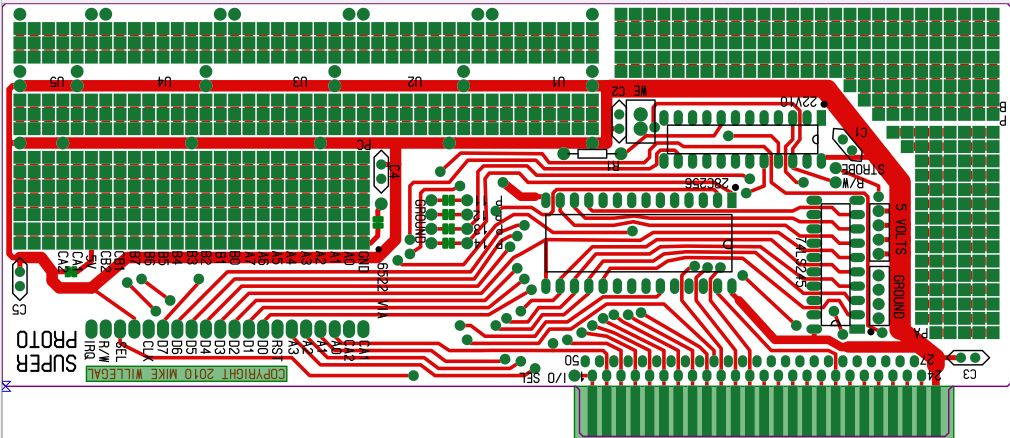
A2 Hobbyboard Layout

This is the beginnings of a layout replicating an original Apple 2 Hobbyboard.  This is a prototyping board intended for creating your own Apple II expansion card.

I’m thinking of building a batch of  either exact replicas or possibly modified with some improvements that I have in mind. This board layout is ideal for wirewrap applications, but I’ve moved beyond wirewrap a few years ago, so I’m likely to modify it for point to point wiring.

I’m also thinking of putting together some project kits that could be implemented on this board.  Projects I have done already that could be easily adapted, include my shutter tester and the improved firmware card.   I have other ideas like a spectrum analyzer for audio frequencies.

Let me know what you think and if you have ideas for projects for this hobby board.  Also if you have ideas for what features you would like to see in a prototyping board, let me know.

New Early Apple Keyboard Page Started

Tuesday, October 5th, 2010

Just added the first version of an early Apple keyboard page.  This details some of the changes that went into early Datanetics and Apple keyboards.  There are more keyboards to be added, but I figured that I had enough interesting stuff written up to put up this link.

http://www.willegal.net/appleii/early-a2-keyboards.htm

keyboard page

Apple II rev 0 closeout results

Friday, October 1st, 2010

My ebay A2 rev 0 replica motherboard closeout on ebay is done.  I successfully sold 4 kits for an average price of a bit under $300.  Subtracting ebay fees, paypal charges, the net take was similar to the cost of putting these kits together.

However since my motivation was to bring in some cash, so I could move some other projects ahead, I consider the sale a success.  The money is earmarked to make my Datanetics keyboard replica project a reality.

The ebay sales indicate that the current fair market price of the these kits is just under $300.  Given that the cost of putting together kits is nearly as much, it is just not economically feasible to sell these kits.  Maybe someday in the future things will change, but that is how it looks to me at the moment.

Here are some facts about the A2 rev 0 project.

Motherboard laid out 1st half of 2007

First board brought up summer, 2007

Last kit shipped fall, 2010

Production run:

2 batches total of 18 boards

1st batch 6 boards (glossy solder mask)

2nd batch 12 boards (matt solder mask)

Kits sold – 14

Bare boards sold -1

Build and tested motherboards sold – 1

Built and kept -2 (one from each batch)

I was hoping that the profit from this effort would be enough to pay for an original rev 0 or perhaps one of Grant’s Altair kits (no longer available).  Though, financially,  I did just a bit better than break even, the main profit came in other forms.   I had a great time with this project.  I made some great friends.   I learned a ton about PCB layout and working with various  suppliers.    Also, I don’t think I could have done the more difficult Mimeo PCB as well as I did, without taking on this project, first.

Finally for those of you interested in the Mimeo kits,  don’t worry,  I will continue to produce and sell these kits as long as there is continuing interest and components available.

What O’scope Should You Buy?

Thursday, September 23rd, 2010

I recently received this question from a fellow retro-computer hobbyist.  Since it was such a good question, I figured I’d post my reply here on this blog.  Though I can’t make a specific recommendation that is right for everyone,  here is how I responded to this inquiry.

I use an old 100MHZ Tek 465 that I picked up off of ebay for about $80 (shipped). I was  lucky, and it was almost completely functional, when it arrived. I spent another 50 bucks on probes and some minor repairs (replacing broken knobs). Total cost was less than $130.

Prior to landing this unit, I would occasionally borrow a more modern HP 20MHZ 4 channel digital storage scope from work. The user interface was nice and storage was great to have, but the bandwidth was a bit limited, considering early Apple computers have a base  14MHZ clock.

At times, it wouldn’t hurt to have more than 2 channels and occasionally a little more bandwidth would help. So I guess I think that 100 MHZ, 2 channels is minimum for my  purposes. 100MHZ sounds fast, but remember that you want to see glitches and signal  slope, not just digital highs and lows. The real neat thing about using this old scope is that this same tool was in use in the 70’s and 80’s by developers of the first personal computers. The price was right, too. At the time I bought it, I don’t think that you could touch the bandwidth at that price any other way.

A modern digital storage scope would be easier to use, especially on transient signals, as the scope stores the capture and you can view it at your leisure. On a traditional analog scope, a transient just flashes on the screen and is only present as long as the screen phosphor glows (one shot).

There are also digital storage scopes that plug into PC’s USB port and use the PC as the  brains and display. Some of them have logic analyzer functions, which would be nice to have. Many of these units have limited bandwidth, compared to my old 100MHZ Tek.

I guess the bottom line is you need to decide much you want to spend and what kind of features are  important to you.

Apple II rev 0 inventory cleanout

Sunday, September 5th, 2010

Apple II rev 0 kits sales have been extremely slow.   I have quite a bit of money tied up in parts and boards for the rev 0 and I have some other projects in the pipe that I would like to spend some of that money on.  In order to facilitate this, I’ll be liquidating my rev 0 stock of kits on ebay.  I have 5 kits  on hand and will be posting them for auction one at a time.

After this liquidation, I don’t expect that I will be offering A2 rev 0 kits  for the foreseeable future.  There is some possibility that I might get a batch of motherboard PCBs made at some point down the road, but only if I notice some demand building up.  Unless something significant changes in terms of this market, I don’t think that I will offer kits, again – only bare motherboards and possibly built up computers.

I really wanted to keep this product alive and available for as long as I could find parts.  However  the demand just isn’t there and I’ve have some ideas for some other projects that could use the money that I have tied up in these kits.

New Apple 2 Rev 0 Revelations

Wednesday, June 2nd, 2010

I did a comparison of the hidden traces on my rev 0 replica with the fantastic image of the front bare Apple II rev 0 PCB, that I just received from Stanford University. I found that all of these “hidden” routes were precisely the same as the actual rev 0, except for two.

  • First was a trace I connected, that didn’t exist on the rev 0, but was later added on the rev 1. This is the pull up on pin 12 of the 74LS74 at B-10.

    missing pullup on rev 0

    The image on the left, is the original. Note that this missing trace is actually an undocumented bug in the rev 0. The trace connects the D input of a flip flop with a pull up. Without the D input to the flip flop being pulled up, it is left in a “floating state”, That means that when a clock edge is seen on the flip flop, that either a positive or negative level will be clocked in, depending on exactly where the input is floating at. Usually this will be a positive level, since 74LS input logic tends to float high, but it’s far from guaranteed. This flip-flop is used to indicate to the computer when a character is pressed on the keyboard. This floating input could cause the computer to miss keystrokes. I don’t remember this being a problem on my original rev 0, but the possibility is there.

    When laying out the replica PCB, I ended up cutting up a socket on a later rev board in order to determine the route of this trace, not realizing that it wasn’t even present on the rev 0. The poor photocopy in the “RED BOOK” occasionally wasn’t good enough for me to solve a puzzle, and I had to resort to this sort of tactic, from time to time. In this case it failed me. Looking at the image now clearly shows that the trace wasn’t present, but there are other places on the photocopy where present traces are barely visible. For some reason traces that ran vertically often show up poorly in this photocopy.

    74LS74 photocopy area

    It you have one of my replica’s and want to experience authentic behavior, lift pin 12 of the flip-flop out of the socket (or you can bend it under so the change doesn’t look obvious). You probably will not notice any difference in behavior. You could also cut the trace, but I would recommend that you leave well enough alone and run it as is, with the input properly pulled up.

  • The second difference is also interesting. This difference resolves a misconception I had about the implementation of the fabled USER1 bus line on the Apple expansion slots. The USER1 jumper is documented incorrectly in the Apple II reference manual. The vias that need to be connected to enable USER1 are partly obscured by the ear of the Slot 7 connector, so adding this jumper, would have to be done from the back of the board. In Apple’s “Hobby/Prototyping Board” document it says “The function of this line will be described in a later document.” USER1 must not have been used by any I/O cards since it was reused on the IIe as 65C02 sync and changed again on the IIGS to M2 SEL.

    The routing of trace in question is partly hidden by the ear of the slot 7 connector. I connected pin 39 of the peripheral bus, USER1, from the peripheral bus to the wrong via. This via directly connects to the enable on H12. USER1 should have connected to another via, that is not connected to anything else. The user was supposed to add a jumper between two vias to make this connection.

    If you have one of my rev 0 replica’s I would do nothing. I have heard of no issues of peripheral card compatibility from replica builders over the years. You are more likely to have peripheral card problems because of the other changes that were introduced to the bus than with USER1 being connected to the enable of the decoder at H12.

    There is a very minute possibility that you may have an issue with an unusual peripheral card that uses USER1 in an unexpected fashion. In this case, you can disconnect USER1 by carefully cutting the trace on the back of the PCB that leads from pin 39 (USER1) of the peripheral bus to the via that takes to the trace to the front of the board. Instead you could try cutting the trace where it connects to the via near the edge of the slot 7 connector. This will be more difficult because the ear of the connector partly obscures the via.

  • Stanford University’s “Apple 1″

    Wednesday, June 2nd, 2010

    Turns out that the Stanford “Apple 1″ is an unpopulated Apple II, rev 0 PCB. The only other unpopulated A2 rev 0 I know of, is the one that the Hudson Brothers just sold. As rare as this is, it would have been nice to find a bare board Apple 1. By the way, during this investigation, an archivist at Stanford Library sent me the best image I’ve ever seen of the front of a bare original Apple II rev 0 PCB. More on that in the next post.

    PS/2 Keyboard Interface Design Decisions

    Saturday, May 1st, 2010

    Someone sent me an email asking if I could have created a PS/2 adapter that was reconfigurable in software to work with either an Apple 1 or Apple II with no hardware jumpering. I started to compose a long answer and before sending it, realized that this would be a good blog entry. So here it is.

    The AVR to DIP wiring mechanism was the most difficult part of the design process, for the PS/2 keyboard adapter.

    First of all I couldn’t do a software switch between the A1 and A2 pin outs without some external power switching circuitry, as the power and ground connections are different. For example, minus 12V on the Apple 1 is connected to the same pin as a data bit on an A2 keyboard.

    I wanted to support S-100 and other systems with possibly different pin outs, with a standard ribbon cable. I thought about creating a user interface with the serial port to allow tweaking configuration, but decided it was too much work and could cause too much confusion, if configured wrong.

    I was also concerned about increasing potential for bugs. The code for the PS/2 keyboard is pretty complex, as it is. Besides doing the bit banging to move stuff over the wire, you have to keep track of key states. Some single key state changes result in 3 bytes being transferred to the adapter. You don’t really know what is going on with the keyboard until all three bytes are recieved. When you finally decide that you have a character for the host, you then have to map a generic key code into an ASCII equivalent. A depressed shift, control or other key affects the translation.

    I actually laid out at least 3 variations of this board over the past couple of years. First version was a single sided PCB and A2 specific. This one can be seen at the bottom of my keyboard adapter web page. The next version was A2 specific, but you could cut existing traces and add jumper wires for other systems. Here is a CAD image of this version.

    A2 version with option to cut and rewire

    The Data bits are optimized for the A2 connection, not ease of wiring. Notice that I also reversed connector ends between this version and the final version. This was to make the ribbon cable connection between an A1 and this adapter more straight forward. I think that in most cases with an A1, the adapter will be to the left of the motherboard. With the original configuration this would require twisting the ribbon cable to connect correctly.

    Finally, I decided I needed to create the most generic version possible, because of the desire to support systems which could have any sort of pin out. I considered making it default to A1, and then allow cutting traces and adding wires to adapt to other systems, but decided that cutting traces was destructive and not very elegant for non-A1 applications.

    Once I decided that I didn’t want to force non-A1 folks to cut traces, I rearranged the pads and pin out to make hookup as straight forward as possible. I think in this regard, I succeeded. When I wired my first boards, I found it much easier to do, than when I built a wire wrap A2 keyboard to A1 converter using two wire wrap sockets. I also figured that it was going to be sold as a kit. A little extra work on the kit builder’s part, really wasn’t necessarily a bad thing. :-)

    I guess this long winded blog indicates how much I thought about the problem. The optimum design would to make a different board for each application, but it would not have been economically feasible.

    I’m very happy with the result and have been exclusively using a PS/2 keyboard with my A1. The long cord and keyboard layout is much more user friendly than using an A2 plus keyboard with ribbon cable connection.