Archive for the ‘Vintage Computing’ Category

Apple 1 update #16

Saturday, January 16th, 2010

Cameron Cooper, who has been a great asset in finding parts, is putting together a new web site called apple-1.org. We are planning some scheduled chat sessions that will be hosted from his site. The first one will be held the evening after I receive the A1 boards. Topic’s are open to Apple 1 related stuff, but I hope to post a URL to images of the PCBs boards- so this will be the first public viewing, so to speak. I’ll post the time and date for this chat session as soon as UPS gives me the date that the PCB’s will arrive. Meanwhile hop on over to Cameron’s site and get registered.

According to the status on the Advance Circuits web page, the boards are built and in the shipping department, due to ship Monday. I’m far more excited about these boards than I think I was with the rev0 boards. Could be a couple of factors at play here. First of all, this board seems to me to have been far more difficult to reverse engineer that the A2 rev 0 was. I though I would have an easier time on the A1 because of the experience of the A2rev 0, but the A1 effort turned out to be even larger. I believe that the A1 was original designed with the idea that a silk screen and possibly solder mask were expensive options, so a lot of legend information was added to the top copper layer. Also the power supply section was pretty tricky. There is more interest in this project than there was on A2 rev 0, so I think that that is adding to the excitement, as well.

While I’m waiting for the PCB and last parts to be delivered, I’ll be working on two things.

1) The A1 assembly manual.
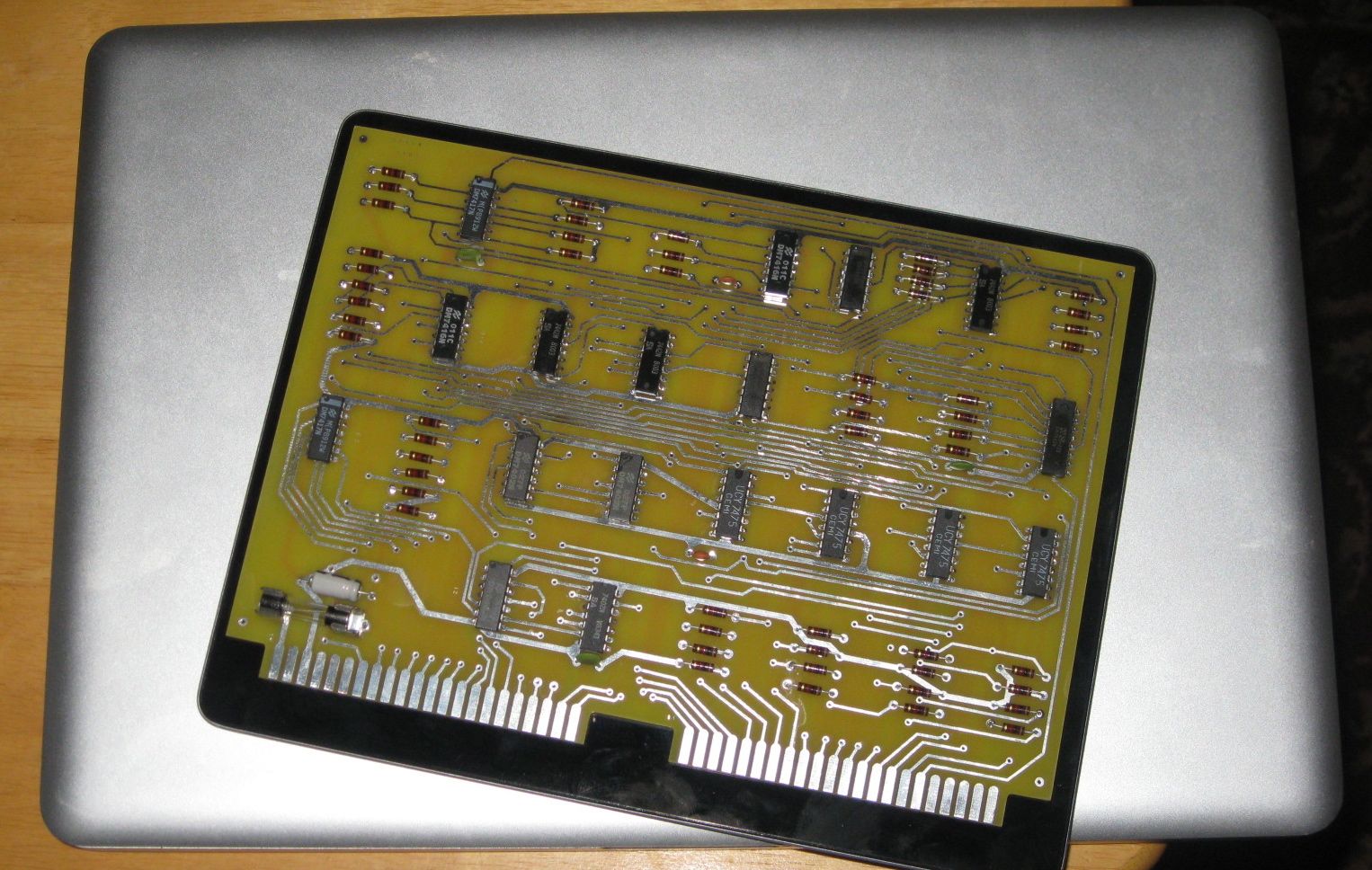
2) The PS/2 to keyboard adaptor. I’ve decided to make a batch of these. They will default to an A2 configuration, but will easily be altered to a A1 configuration, and I’ll provide instructions. Here is what the top artwork currently looks like.

Cameron and I are also investigating a possible vendor of new parallel ASCII keyboards. This same vendor was advertising in the Hobbyist magazines the 70’s and still lists ASCII keyboards with parallel interfaces in their catalog. In fact the current keyboard appears to have the same key layout as can be seen in those 1970’s era adds. Hopefully they still stock them and the price is reasonable. Original ASCII keyboards are very, very difficult to find. The only reliable source I know of, is from the Apple II+ systems that are frequently sold on ebay.

Finally, if you are interested in a A2 rev 0. kit, remember that the price is going up on Feburary 1st.

Apple 1 update #15

Wednesday, January 13th, 2010

Well, I’ve ordered the last components I need, and also ordered a batch of PCBs!

For the past few weeks, I’ve been fine tuning the PCB, slowly improving fidelity to the original. Every few days I would find another little feature in the original, that I didn’t notice before. Almost all of these changes are cosmetic and wouldn’t affect functionality. Last cosmetic improvement was this morning. I guess I finally decided that it was close enough. To be truthful, I’ve been worried about accidentally breaking something functional. Getting boards of this size made, is very expensive and a batch of bad boards would set me back a pretty penny. I should have the PCBs within a couple of weeks. Next step will be assembling, testing and writing the assembly manual!

My waiting/interest list for kits is small, but steadily growing. If you are interested, send me a line and I’ll add you to it. If you are not an experienced electronics kit builder, or not completely comfortable with hooking up transformers to 110AC. I would recommend starting with one of Vince Briel’s A1 kits, which are significantly easier to put together for a variety of reasons. Once I get the first set of kits together, I’ll be offering them for sale, first on the list, first opportunity to buy. This should be sometime in Feburary.

In case you have been following my non-Apple 1 blog entries, the loose fuel line problem on my Malibu has been rectified and the fuel gage is operating perfectly.

Apple 1 update #14

Monday, December 28th, 2009

I needed to get an update #14 out there before something bad happens.

I’m declaring victory on the back and have rounded off corners on small traces. The effect is quite good. Here is a small image from the cad program and the same section from an original.

The back layer now has rounded corners on traces

The back layer now has rounded corners on traces

Here is the same section of the original

Here is the same section of the original

same section with square traces

same section with square traces

Stay tuned. I have just a few things to clean up on the front prior to declaring victory on that side.

Apple 1 update #13

Saturday, December 26th, 2009

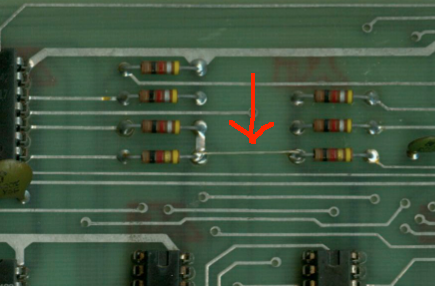
I’m still working on the design reviews – I hopefully will be done by Monday or so. Found an interesting less than obvious feature a couple of days ago. Take a close look at this image.

bigtraces

Do you see something unusual?

If you don’t see it, look again. Two of the traces are just slightly thicker than the others. At first when I was working on this project, I thought the variation was just some random variation. The reality is that those extra wide traces are carrying +12 volts and -!2 volts power around the board and are made intentionally wider than signal traces.

Apple 1 Update

Tuesday, December 22nd, 2009

Still gathering parts – and emptying my bank account. Hopefully, by the end of next week I’ll have everything but a few commonly available parts in hand. I’ve also borrowed a cassette interface PCB, which I will need to build up in order to test the expansion port. I have a parts list for the cassette interface and will order those parts along with the last parts for the motherboard.

I keep finding little discrepancies between my PCB layout and the original. One recent example is on the silk screen under the power and video connectors. Based on the Apple II, I assumed that there was a silk screened box around the holes for those connectors. However I found an image of an original board that does not have those connectors installed. Sure enough, there is no silk screened box around those connectors. These sorts of changes are easy to make once the difference is discovered, but determining how the hidden portions of the original board looks, can be difficult, if not impossible. I’d part with a bit of money to get a hold of a good X-ray of an original Apple1.

Apple 1 Webpage Updated

Saturday, December 19th, 2009

I’ve added some good Apple 1 links, a complete Apple 1 bill of materials (BOM) and information about finding parts to build an Apple 1.

http://www.willegal.net/appleii/apple1.htm

Close to Declaring Victory on Apple 1 PCB layout

Friday, December 18th, 2009

I’m running out of things to fix or improve on the PCB layout. I’m about to round off corners of small traces. I’m doing that last since once I do the rounding off, tweaking trace placement becomes a whole lot more difficult. Also in the plans is complete netlist check to make sure I haven’t botched some connection and run another pass of the CAD programs design checks.

Apple II rev 0 price increase coming

Wednesday, December 16th, 2009

Base motherboard kit price to go up to $400.00 from $350 on Feb 1, 2010.

Apple 1 Replica Project Restarted #11

Monday, December 14th, 2009

On a project of this type, sometimes you run across unusual features. Note the slightly different styles of R used. The R in the “IRQ” has a bent “tail”. The other “R”s on the board have a straight “tail”.

Rs

Apple 1 Replica Project Restarted #10

Tuesday, December 8th, 2009

As I have been moving forward on the PCB layout, changes are getting smaller and I need to be more precise in making them. This slows down progress, as I really want to work on the PCB, only when my personal energy and patience are at high levels.

Had good energy early this morning and made progress on some touchy areas in and around the power supply. I finally feel that the back copper layer is starting to look close to where I want it. Changes to the back copper from here on out, are going to be very minor. In fact, on the back copper, I’m thinking of taking a shot at rounding off corners on the small traces, which is one of the last tasks for this layer.

On the front copper, before declaring victory, I want to do some trace spacing tweaks, especially in the busy areas between chip rows A & B and also B & C.

Front silk screen is pretty good, but I will improve character to character spacing in a couple of text strings and also improve the shape of the decoupling capacitor symbol.

My first pass through a PCB vendors DFM check returned a number of issues, I’m working through.

Besides circuit design reviews, I need to do a review of hole sizes – nothing worse than a hole too small to fit the designated component.

Regards,
Mike Willegal