Well, the family will have to hold down the fort for a weekend in May while I exhibit at VCF East 2011. If you want to see my stuff in person without buying it, here is your chance.
Here is the link with VCF information

Well, the family will have to hold down the fort for a weekend in May while I exhibit at VCF East 2011. If you want to see my stuff in person without buying it, here is your chance.
Here is the link with VCF information
Should have them in about a week. I’ll immediately do a quick checkout to make sure they behave like my proto and get Beta started.
If everything goes smoothly I’ll be shipping by end of March.
I’m really excited about this project, it’s really a wicked neat little personality board for your Apple II – kind of like giving it a lobotomy. I’ll be posting more details about the design once I get closer to shipping.
When running Wozanium Pack Firmware on the BrainBoard, here is the system specs.
Microprocessor Clock Frequency: 1.023 MHz – same as the original Apple 1
Effective Cycle Frequency: 1.0205 versus the original’s 0.960 MHz
VIDEO OUTPUT: Composite positive video – same as original
Format: 40 characters/line. 24 lines; with automatic scrolling – same as original
Character Matrix: 5 x 7 – same as original
RAM MEMORY: 16K located at 0x0 – standard configuration with the original had 4k at 0x0 and another 4k at 0xE000. Several original systems were modified with the bank of memory at 0x0 expanded to 16K
BASIC: 4K at location 0xE000 contains Basic in PROM – With the original, BASIC was loaded into the 4K DRAM bank at location 0xE000 using the Apple Casssette Interface (ACI)
APPLE CASSETTE INTERFACE: built in – ACI was an option on the original
see the “mind blowing” first public demo of the “BRAIN BOARD” on my video podcast #24
http://www.willegal.net/feed.xml
From itunes select “subscribe to podcast” and enter this link as the feed.
.

less blur
After much delay mostly do to distractions with other projects, the software is done with no known open issues and the prototype board is working great. The production PCBs are order and will arrive in about 5 weeks. I thought I could get quick turn PCBs made, but this wasn’t to be, hence the long lead time. Here is timeline for future announcements and release.
1) I hope to have time to put together a video podcast showing a demo of prototype, so everyone can finally see what this is about. I hope to be able to post this sometime next weekend. I’ll also announce target pricing at that time.
2) The rest of the parts for the first production run will be ordered.
3) After taking a day or two to assemble and check one of the production boards for myself, I have two Beta testers lined up and they will get a few weeks to check out the board.
4) A web page will be created with downloadable instruction manual.
5) Assuming all goes well, I hope to be shipping in about 8 weeks.
This “Apple Add On” project is nearly complete. I have a prototype working, but need to tweak the software a bit. If I had pushed it. and put the Datanetics project aside, I could have completed it prior to Christmas. However, I have a bit of money tied up in the Datanetics PCBs and wanted to recoup at least some of it, before proceeding with another project that included a PCB build. That Datanetics PCB build is one project of mine that will never pay for itself, so don’t expect a rebuild in the future.
I have purchased a few of the more expensive components for the “Apple Add On”, along with some Datanetics parts that I needed. However, I’m not proceeding with the rest of component purchases or PCB build until the remaining 3 Datanetics PCBs are sold. If I can’t sell the remaining Datanetics PCBs via my my blog by the end of the month, I’ll go the eBay route. If you are thinking of waiting for the eBay sale, keep in mind that I will probably raise the price for the eBay sale, to account for added eBay costs. Selling these boards will free up enough “hobby” money to allow me to move on the “Mind Blowing Add On” PCB build.

radial blur
I’m anxious to get moving on this, as I think it is a pretty nifty project that will sell for well under a hundred bucks and a lot of Apple enthusiasts will get a kick out of.
Check out my latest video podcast (#23) for a video demo.
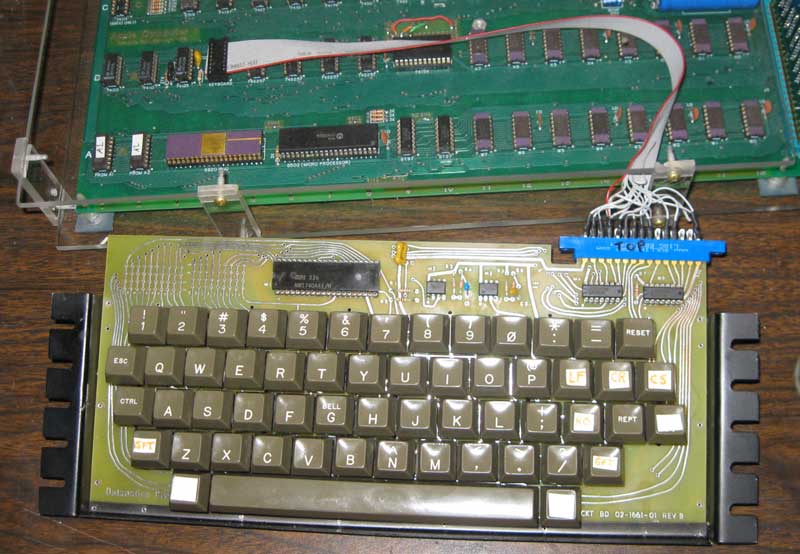
reproduction datanetics keyboard up and running
If you requested a board, I am shipping now. If you did not request one, you can be added to the wait list, send me an email, as I have a couple of extras that haven’t been spoken for.
This morning I soldered the sockets, resistors, capacitors, and 555 timers (they are not mounted in sockets) onto the Datanetics PCB. There is a dot etched in copper near pin 1 of the DIP sockets. I used the schematics on my Datanetics page as a reference, so I put the seven resistors and three caps into the correct locations.

Components soldered in
While I had the soldering iron out, I also made two cuts on one of the shorted traces that makes an x towards the bottom of the front of the board and jumpered it over the other trace. This was a layout error on the original that I faithfully replicated.
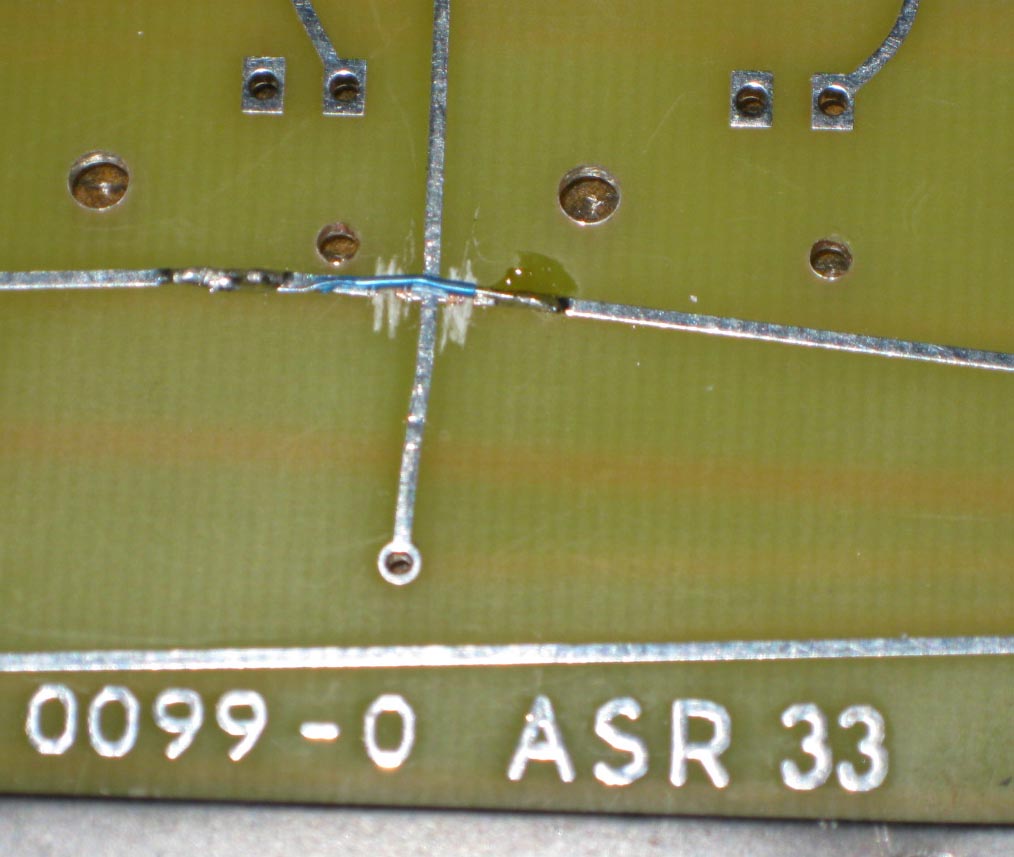
cut and jumper
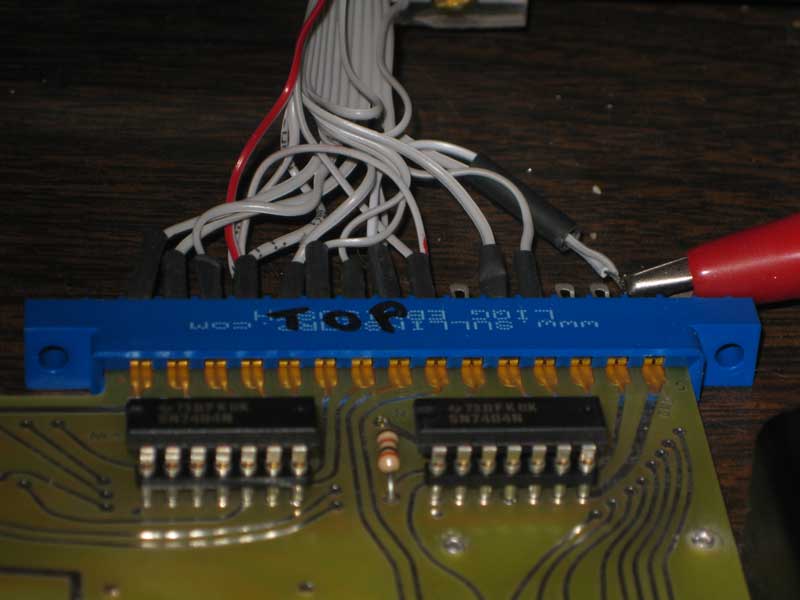
Edge connector
Connections from the A1 keyboard DIP socket to the edge connector are as follows.
EDGE CONNECTOR TOP (12 positions connected)
starting on left side
-12V – CONNECTOR PIN 1 to DIP PIN 11
B6 – CONNECTOR PIN 2 to DIP PIN 7
B5 – CONNECTOR PIN 3 to DIP PIN 6
B4 – CONNECTOR PIN 4 to DIP PIN 2
B1 – CONNECTOR PIN 5 to DIP PIN 5
B2 – CONNECTOR PIN 6 to DIP PIN 4
B3 – CONNECTOR PIN 7 to DIP PIN 3
RST1 (RST) – CONNECTOR PIN 8 to DIP PIN 1
RST2 (RST-GND) – CONNECTOR PIN 9 to CONNECTOR PIN 15 (GND)
STROBE – CONNECTOR PIN 11 to DIP PIN 14
B7 – CONNECTOR PIN 12 to DIP PIN 8
GND – CONNECTOR PIN 15 to CONNECTOR PIN 9 to DIP PIN 9
EDGE CONNECTOR BOTTOM (3 positions connected)
Counting from same side as we started with on top
+5V – CONNECTOR BACK PIN 4 to CONNECTOR BACK PIN 9 to DIP PIN 15 to DIP PIN 16
CLEAR SCREEN – CONNECTOR BACK PIN 8 to DIP PIN 12
CLEAR SCREEN (+5V) – CONNECTOR BACK PIN 9 to CONNECTOR BACK PIN 4 (+5V)
Next I connected the keyboard to a Mimeo and powered up in order to check the clocks. Like always during a first power up, I first checked for hot chips and for good voltages on the power supply. Then I checked repeat and MM5740 clock with an oscilloscope. Everything looked just fine. By shorting the pads together at the location of the reset key, I was able to verify that reset was connected correctly. By doing the same, I was also able to verify that clear screen worked. Next step was to plug in the chips and see if I could enter characters.
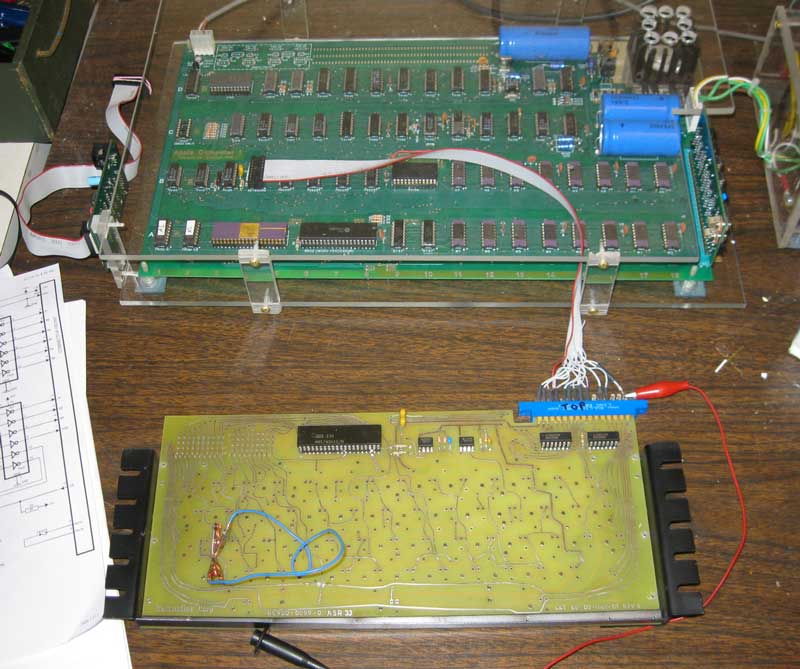
Testing the Datanetics
Finally I plugged in the MM5740 and the two 7404s and powered up again and checked for hot chips. After clearing screen and reseting, I went through the keyboard shorting each pair of pads making sure that each key worked. Then I jumpered the shift key and checked that shift characters worked. I also tested the repeat function. So far everything is working fine. The next step is to add the key switches.
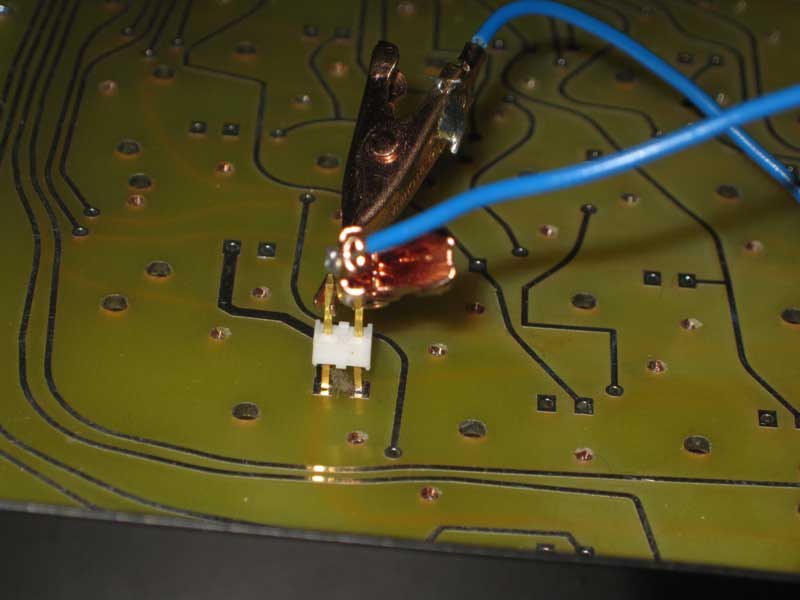
test jumper in shift key location
I finally recieved all the parts I need to complete assembling and testing of the reproduction Datantics PCB.
I carefully drilled 1/16″ holes to match each bracket to a couple of mounting holes in the PCB. Then I inserted the eyelets and used the eyelet setting tool to set them and secure the bracket. I then drilled the rest of the holes, and set the rest of the eyelets.
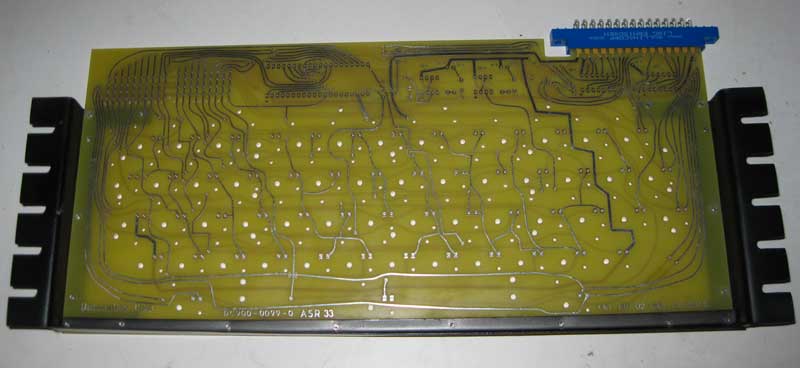
brackets attached
You have to careful with this work. Two eyelet sizes are needed, keystone #26 where you only have one bracket to go through. #27 in the four holes where both brackets overlap. I used an inexpensive eyelet setting tool that I got from volcano arts. After completing this task, I would say that the holes in the PCB are slightly bigger than optimal for the 1/16″ eyelets. Despite this, the eyelets worked out fine in my board. Have I mentioned that one of the biggest problems I have with these reproduction boards is getting the hole dimensions right. This is especially hard when I don’t have engineering drawings for the original parts.
more pictures of the brackets
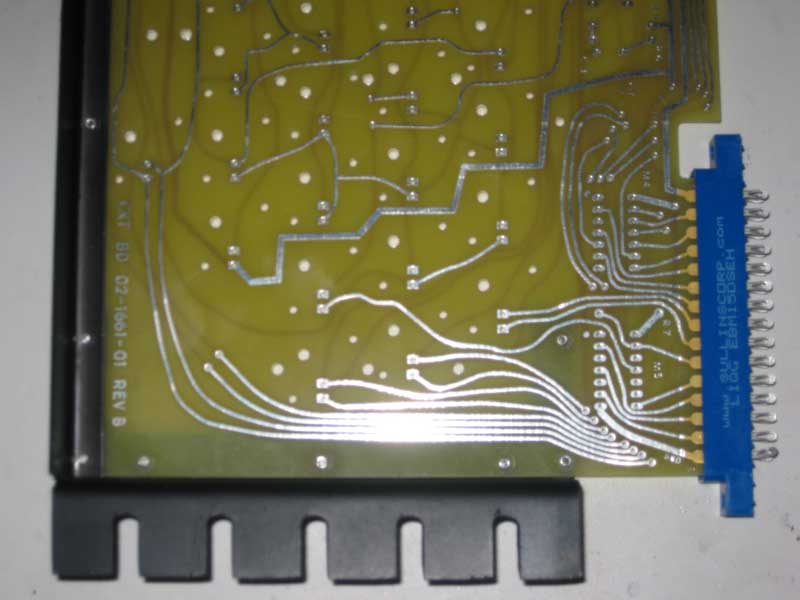
bracket attached
back of board
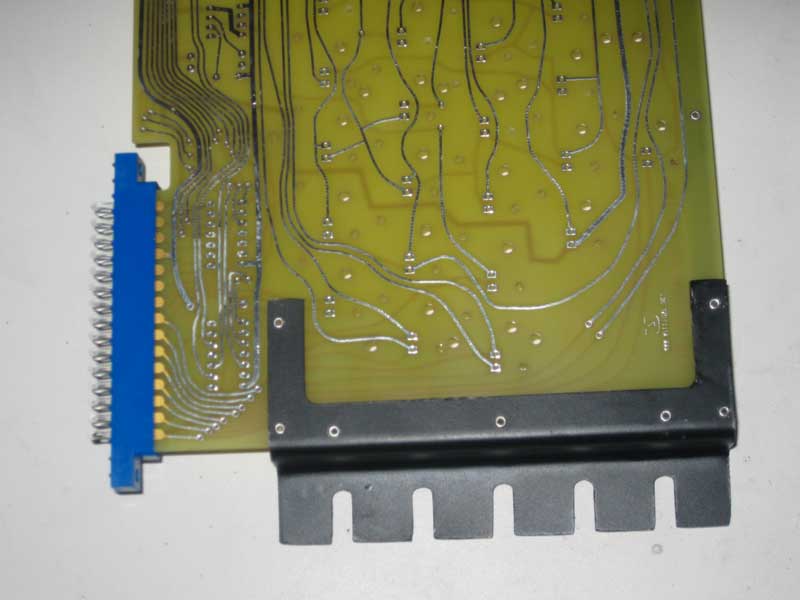
Back of Board with Brackets Attached
The blue edge connector seen in these photos will be wired to a ribbon cable for connection to my Mimeo motherboard. It is Digikey part number S3345-ND. The key thing with these edge connectors is the spacing which should be .156. There are 15 positions per side for a total of 30 contacts. I got the edge connector dimensions right, the connector fits perfectly.
Pulling the Datanetics keyswitches from an old keyboard takes time and skill. You have to suck the solder from the holes/pins, before unscrewing the switch or you could pull the switch apart or the pin out of the switch.
After pulling about 40 switches, I noticed that my spring operated solder sucker wasn’t sucking much solder anymore. I should have noticed sooner, as the solder was getting harder and harder to get out, until finally the solder sucker refused to operate at all. At that point, I knew it wasn’t working right. I took it all apart, got as much solder out of the tube, as I could and even oiled the tube with a plastic compatible oil. I reassembled and operation returned to as good as new, maybe better. The improvement was so vast, that the last 10 switches took as long to get out, as the previous 2. Moral of the story, proper maintenance of your solder sucker will prevent vast amount of frustration.
Also, the screws holding many of the switches onto the PCB were extremely hard to get out. I had to file the head on an 00 phillips screw driver to exactly fit the profile of the screws or I wouldn’t have been able to get some of them out, at all. I’m not sure what the moral is here, other than phillips heads screws suck.