Archive for the ‘Vintage Computing’ Category

SCELBI Clock – Component Changes for Better Stability

Sunday, April 14th, 2013

As I noted in a previous post, clock stability on my reproduction SCELBI was pretty bad. The system clock slowed down 10 or 15 percent as the system warmed up. This would have played havoc with my bit banged serial communications, but by the time I was able to toggle in the loader, it would be warmed up and fairly stable.

SCELBI cpu clocks

SCELBI cpu clocks

The timing circuit is made up of 4 interconnected 74121s one shots that control rising and falling edges of 2 interleaved clocks. The timing of each 74121 is controlled by a 5K trimmer resistor and a 300 pF cap. Figuring that the cap was part of the problem, I looked for some NP0 300 pf caps to replace the ones that i was using.

What I found was a modern 330 pF cap, Kemet part # C322C331J2G5TA. While I was at it, I decided to replace the 5K trimmers that I had been using since first bringing up the SCELBI. The original trimmers I bought had the wrong foot print and turned out to be a little jumpy while adjusting. I replaced them with Bournes # 3006P-1-502LF.

Though I don’t know which change made the difference, several trials have shown the new trimmers and NP0 caps seem to have stabilized the clock to the point, where I think I can forget about the “problem”.

The only thing I might do at some point, is try to find some old style NP0 caps to replace the obviously modern Kemet ones.

SCELBI build blog

Friday, April 12th, 2013

Check it out. John Calende is documenting his reproduction SCELBI build in a new blog.
blog:http://myscelbi.blogspot.com

Updated Apple 1 Reproduction Flyer with Original Image from Ad

Tuesday, April 9th, 2013

I have permission from Wendell Sander to publish a high res scan of an original print of an Apple 1. We believe that this is either the exact image used in the original ad or at least from the same photo shoot. We are so lucky that Wendell saved this very detailed print all these years, and is so willing to share it with all of us. I have updated the flyer and included this scan, which pretty much makes this reproduction about as good as I can make it, at least in available time. I left the image uncompressed, in case you want to blow it up to poster size.

Ad with high res image

enjoy…

CFFA 1 back in stock

Monday, April 8th, 2013

It appears that Rich Dreher have made another batch of CFFA 1’s available.

http://dreher.net/print.php?s=projects/CFforApple1

I have tested these in the Mimeo and they work great. If you are tired of dealing with the cassette interface or a serial port (on PS/2 adapter), these are great way to load programs into your Mimeo.

The CFFA 1 also adds in extra memory, so you can run the some of the larger Apple 1 programs that are available from Wendell Sanders web site.

Do note, that in order to preload the compact flash with Apple 1 software on a PC, I think you need to use a Windows program called Ciderpress. I don’t know of a Macintosh equivalent. You can always load the program on the Apple 1, using my PS/2 adapter’s serial port, and then save to the CFFA 1. CFFA 1’s use the Apple 1’s slot, so unless you have a slot expander, you can’t use both an ACI and CFFA 1.

Apple 1 ad reconstructed

Saturday, April 6th, 2013

Once I figured out what font they used, this was surprisingly easy to do.

Here is a copy of the ad without the PCB – add a picture of your own PCB to make up a nice display piece to go with your reproduction.

Apple Flyer – no PCB

Here is a link to a website with the original ad.

http://www.macmothership.com/gallery/gallery1.html

New Batch of Mimeos are in.

Friday, April 5th, 2013

If you don’t already have ordering information, you send an email to: mike@willegal.net in order to get details. Note that ACI kits are temporarily in short supply.

Guessing Game

Friday, April 5th, 2013

sidebyside

Thanks to a friend of mine, that has both a Mimeo and an Apple 1. Here is a photograph of both, positioned side by side. Can you guess which is which?

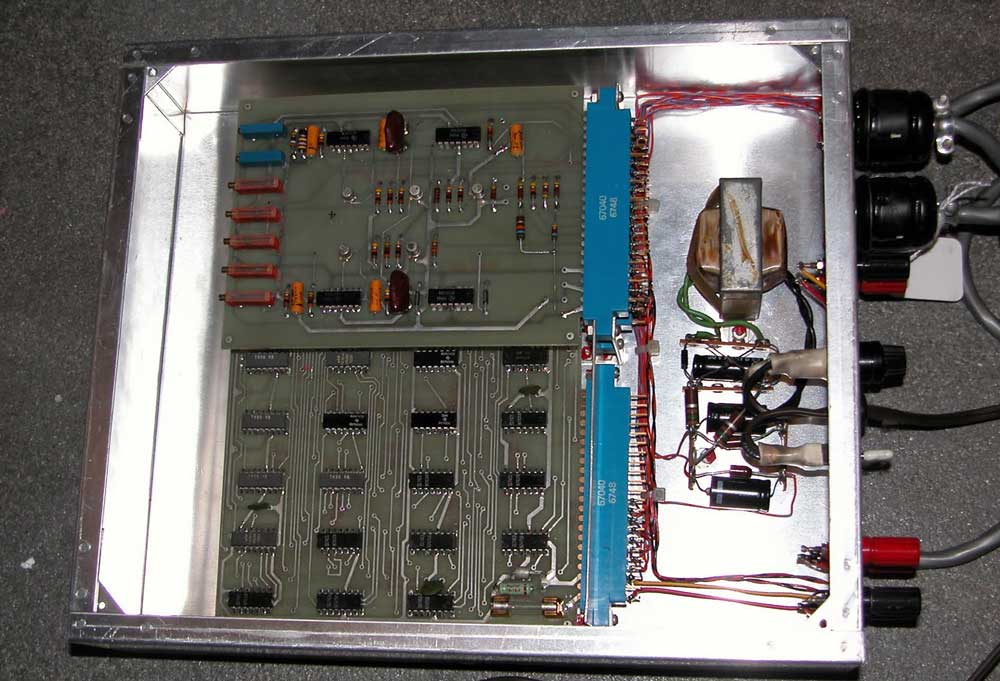
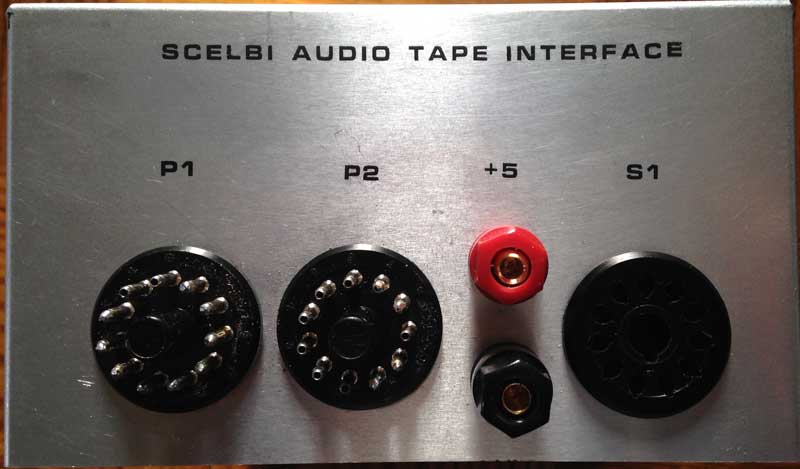
SCELBI RS232 Interface is put in a Proper Package

Sunday, March 31st, 2013

update 3/24/14 – I have corrected a mistake in the original posting – TX goes to pin 1, not pin 8 – sorry for an confusion that this might have caused

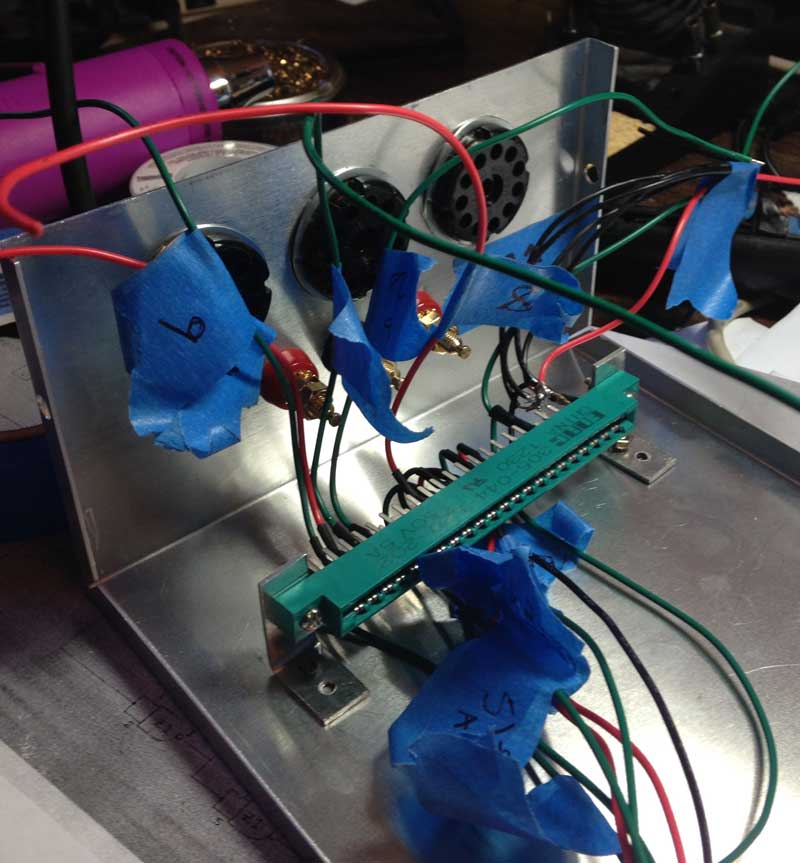
Take a look, it’s a lot cleaner than that bread board implementation that I showed in a previous post. The connections are simple.

  • RX goes to pin 8 of a 86CP11 socket
  • TX go to pin 1 of a different 86CP11 socket
  • Ground goes to pin 11 of the same two 86CP11 sockets
  • Strobe goes to pin 9 of the 86CP11 socket that TX goes to
  • +5V goes to the positive 5 volt power supply terminal
  • SCELBI-RS232
    The enclosure is a Serpac A-20 that I had laying around. The PCB really only needs a 1.5 x 2.5 space to fit, but I had the A-20 enclosure and it makes a nice case for devices that need a DB-9 connector.

    The PCB is single layer, with one jumper wire. This is about as easy as it gets when it comes to etching your own PCBs – single sided and pretty small.

    RS232-SCELBI-PCB

    I etched it using the laser toner method, using glossy paper from a magazine (National Geographic) to make the transfer. The top side legend was done the same way. Put the legend on, after etching and before drilling for best results. I drilled the holes in a drill press with three different drill sizes – #67, 1/32″ and 1/8″. The parts list is pretty basic.

  • 1 2″ x 4″ PCB-??
  • 5 .1 UF capacitors – $.40
  • 1 DB9 connector – $.39
  • 1 MAX 202 chip – $.1.79
  • 1 74LS74 flip flop – $.33
  • 1 Serpac A20 enclosure – $4.56
  • 1 10K 1/4 watt resistor – $.05
  • 1 optional 16 pin socket – $.49
  • 1 optional 14 pin socket – $.45
  • If you have a piece of scrap PCB laying around, like I did, the total cost of parts should be under $10, with over half of that being the enclosure. Actually I had all the parts on hand, and didn’t have to buy anything to build this interface up.

    In the past, I remember marveling when reading magazine and web articles about people building nifty little gadgets with stuff out of their parts box. I would think, how could someone have enough in their stash to do that without buying anything. Well, I guess I’m somehow progressed to the point, where I’ve joined that club.

    Postscript files that can be used to print your own PCB can be found here.

  • http://www.willegal.net/scelbi/SILK1.EPS
  • http://www.willegal.net/scelbi/LAYER1.EPS
  • Where are the schematics? Well there aren’t any. With a single sided PCB, and only a few components, the art for the PCB is enough to use as the schematics. The RS232 interface side was lifted from a TTL to RS232 converter that I did a few years ago. That converter was largely taken from the RS232 portion of my PS/2 to parallel keyboard adapter.

    SCELBI Calculator Program is Running…

    Sunday, March 31st, 2013

    but you’ll have to come to VCFse in few weeks to see it run.

    Power Supply Miscalculation

    Sunday, March 24th, 2013

    Quite a few posts ago, I mentioned that I was using bench power supplies to run my SCELBI and that I would update the blog with more information, as I progressed in getting a more suitable, power supply solution. Well, this is the the next post, in what promises to be a series.

    What I have done is get a couple of Power-One linear supplies to power the SCELBI. Obviously one needs to be 5 volts and the other at -9 volts. The reason why I selected the Power-One’s is that I know that Nat Wadsworth’s 8B development system used a couple of Power-One supplies.

    We know that at the time, a couple of the more experienced SCELBI builders made their own supplies. For instance Circuit Cellar’s Steve Ciarcia made his own for his SCELBI. I’m not that experienced with power supplies or that adventurous. We also know from the price list, that SCELBI Computer Consulting sold supplies. I only know of 1 or 2 of those in existence, and I don’t have details on what is inside the aluminum case, but I’m guessing that there are two Power-One supplies, one for each voltage.

    So the only details that we have from back in the time is Nat’s system, and a couple with home brew supplies. We know that Nat used the following Power-One supplies in his system.

  • C5-6: rated for 5 volt, 6 amps
  • B15-1.5: rated for 15 volts at 1.5 amps
  • The C5-6 can supply plenty of power for any SCELBI. The B15-1.5 is a 15 volt, 1.5 amp supply. Nat obviously modified the B15-1.5 to supply the -9 volts for his SCELBI 8B.

    I did some research and found that Power-One still makes nearly the same supplies. They have been updated a bit to support international mains power, but they are very similar to the ones that Power-One built back in the 70s. Here is a link to the current product specs from Power-One’s website.

    http://www.power-one.com/sites/power-one.com/files/documents/power/datasheet/lin.pdf

    The C5-6 is now called the HC5-6/OVP-AG. The B15-1.5 is now called the HB15-1.5-AG. Thinking I wanted to recreate Nat’s power supply setup, I did some search and found that these supplies are widely available, but fairly expensive. I also found that numbers of them can be found on ebay, sometimes in older variations and similar models are available from competing vendors, with almost the same model names.

    Trying to save some money, I found two NOS units of fairly recent vintage on ebay and purchased them. Both arrived as advertised, in excellent shape in original packaging. I chose to get newer units, since I didn’t want an older unit blowing up my SCELBI

    Power-One 15 volt supply

    Power-One 15 volt supply

    Power-One 5 volt supply

    Power-One 5 volt supply

    Now my next challenge was to modify the 15 volt unit to supply 9 volts. I’m not going to tell you exactly how I did this, because I don’t want to be sued in case you blow up your SCELBI or yourself or your house. If you don’t know what you are doing, get some help before you do some damage to yourself or your possesions.

    I will tell you that I spent the better part of a morning reverse engineering the circuit, making the modifications and testing them. There is a very nice site on hacking on these power supplies, that you should check out, if you are new to this.

    http://www.djerickson.com/p1hack/

    As part of this process, I calculated the power consumption of the power transistor. The original 15 volt supply had the input to the power transistor at about 26 volts. With a drop to 15 volts at 1.5 amps. This means the power transistor was consuming about (26-15)*1.5 = 16.5 watts. The 2N3055 power transistor is rated to up to 115 watts, though this is under ideal conditions. I figured that running the power supply at 9 volts would increase power consumption to (26-9)*1.5 = 25.5 watts. I figured the power transistor could handle this ok, so I went ahead and made my changes. According to the information I’ve read, the most common failure mode of these power transistors results in essentially a short of the input to the output. This sort of failure will kill almost every IC on your SCELBI, unless the on board fuses blow first, so make sure that you put proper rated fuses on each of the PCBs, as you build your system.

    The changes I ended up making involved removing a resistor and adjusting the voltage. I did some basic testing and tweaking and decided I was ready for the next step.

    The next step was configuring the two supplies so the B15 supplied -9 and the C5 supplied +5. This was pretty simply done by connecting the B15 supply’s plus output to the C5’s minus output. I put them on the same power switch and powered up. Voltages and everything else looked fine, so I went onto the next step.

    At this point, I took one last power check with my existing bench supplies after adding a second SRAM card, which I have just completed building. The 5 volt supply went from 2.2 amps to 2.4 AMPs, meaning each memory card was consuming about .2 AMPs on the 5 volt side. The C5-6 AMP supply was going to be overkill for a full 4K SCELBI, but Power-One’s next smallest supply was only 3 AMPs and this would have been marginal for a full 4K system.

    Next, I looked at the bench supply that was suppling -9 volts. It’s meter moved from about .5 amps to .7 amps. This was only an increase of .2 amps, which seemed a little small to me, but since the system was running fine, I didn’t think much about it at the time.

    Now I was ready to go, and connected the new supply to my SCELBI. Here is what the setup looked like for my trial. Note that this was for trial purposes only, and as soon as I can, I’ll be doing proper wiring, enclosing it, adding a fuse IEC connector and a switch.

    Power-One supplies

    Power-One supplies

    Note that I have kept the transformers as far apart as I could and put them at right angles to minimize interference between them. Also note that the cases of the power transistors carry live voltages, and are not grounded. I’ll have to protect them from accidental shorts or figure a different way to mount these supplies.

    I powered up and ran some simple tests on the SCELBI and everything ran perfectly. So what is the miscalculation that I mentioned in the title of this post. Well I did notice that the power transistor on the B15 supply was, pretty warm. Warmer than I would have expected for supplying only .7 AMPs.

    Since I had both a new supply and a new memory board, I decided to figure out just how much power this supply was providing. On this supply there is a .22 ohm power resistor that is used for sensing current for the current limiter circuit. By measuring voltage drop over that resistor, with a meter, I could calculate current. Using my old, non precision, Sears meter, I got about a .3 volt drop. Using ohms law, I=V/R, I calculated .3/.22 = 1.5 AMPs. This is substantially more than the bench supply’s meter showed.

    Because of this, I decided to unhook the B15 and do some tests with both my bench supplies. First was the old Radio Shack supply that I was originally using for -9 volts.

    Micronta 22-123

    Micronta 22-123

    It still showed .7 AMPs, however when I measured the voltage, it was only putting out around 6 volts. Clearly the supply was current limited. The interesting thing its that the SCELBI seems to run Ok at this voltage, though I wouldn’t recommend doing it on purpose.

    Since this supply is supposed to supply 1 AMP, either the meter was off or the current limiting was kicking in too soon. Putting the new 6 AMP bench supply in place of the old Radio Shack supply showed current consumption of about 1.3 AMPs, close to what I had calculated across the B15 power resistor and way too much for the Radio Shack bench supply. I removed 1 of the SRAM cards and it dropped to .7 AMPs. So each memory card needed about .6 AMPs of -9 volts, way more than the .2 AMPs that the Radio Shack supply showed.

    My miscalculation is that Nat’s 8B system with it’s 2102 SRAM and PROM board apparently draws much less power than a 8H with it’s 1101 SRAMs. I should have paid attention to my old power supply post and gotten a beefier Power-One supply to support -9 volts. I guess that sometimes we get so tied up in recreating something, that we don’t pay attention to differences between what we are doing and what someone was doing in the days gone by.

    For now, with 2K of memory, the B15-1.5 should be fine, though it runs a bit warm, and I wouldn’t dare run it in an enclosure without fans. In order to grow my system to a full 4K, I think a supply that supports 3 AMPs will be fine. Looking at the Power-One literature, I’m thinking that an HC12-3.4-AG might be the best choice. Stay tuned for more on the SCELBI power suppy saga.