First Microprocessor Based “Personal Computer” Advertisement

February 21st, 2013

After watching on ebay for a very long time, I finally obtained a copy of the March 1974 issue of QST magazine.

QST March 1974

QST March 1974

And on page 154, here is the small add.

First SCELBI add

First SCELBI add

I could probably have obtained this issue much sooner, if I had been willing to purchase a entire years worth of issues.

How to Make the 78S11 Cutouts in the Back of the SCELBI

February 21st, 2013

Nothing about the SCELBI is straight forward. The cutouts on the back of the chassis for the 78S type connectors is another example of this.

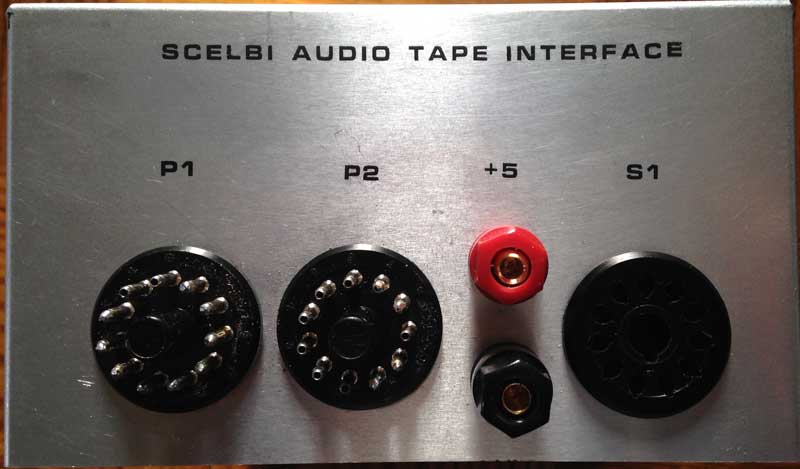
I puzzled over how to cleanly accomplish this for quite a few hours. Note that the power connector is a 86CP4 plug, so we are talking about 14 holes for the I/O ports and 1 hole for the power connector for a total of 15 holes.

Back Chassis Cutouts

Back Chassis Cutouts

After much research, I finally happened upon a tool that was expressly designed to punch out these holes. The solution is a tool made by Greenlee called a radio chassis punch. The size you need for 78S type sockets is the type 732, sized 1 11/64″. They appear to sell pretty frequently for under $50 on ebay, but I happened to find a NOS one on a nearby distributers shelf for under $25.

Here are some example holes made by the punch. There is a 78S socket in one hole and the punch in another. You need to drill a 1/2 inch pilot hole before you can punch out the final hole with this tool.

Trial Punch Holes

Trial Punch Holes

One thing I did to make punching out my chassis more accurate, was to create a pattern based on a 12″ by 3″ chassis back panel. I determined that the spacing between the 1 1/4″ diameter connectors is only 1/8″, so your layout has to be pretty accurate. My BUD AC413 chassis is only 3″ high, so you will have to adjust vertical dimensions a bit for a SCELBI 3.5″ high chassis.

Back Chassis Pattern

Back Chassis Pattern

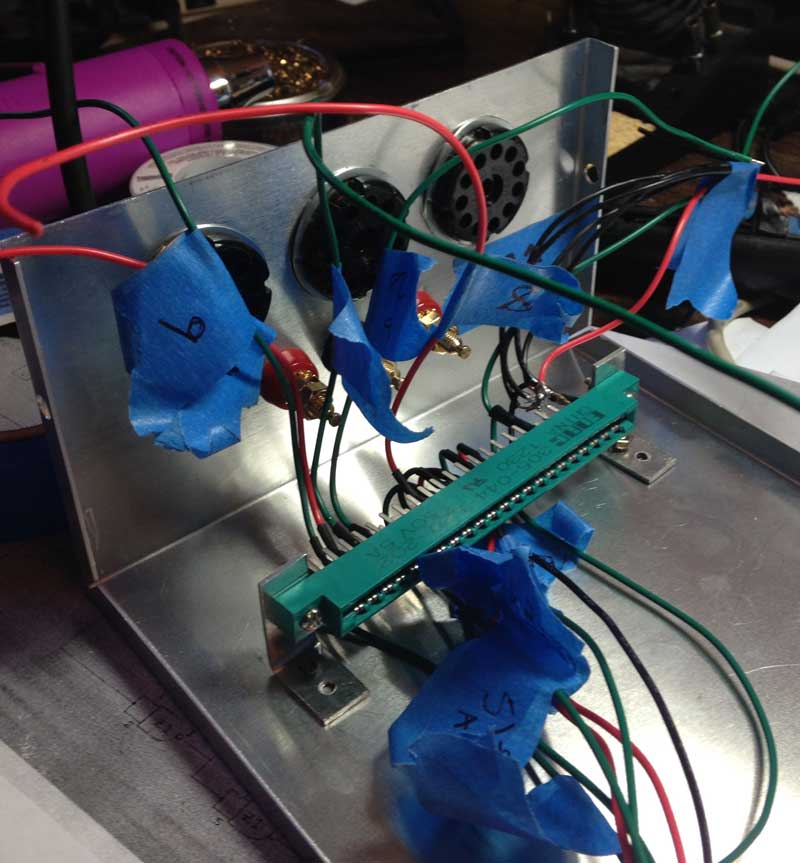
The next step is to install all those sockets and wire them up.

SCELBI Memory Tests Pass in All Slots – I/O left to checkout

February 17th, 2013

I used the memory test in the user manual to test each page in each slot in the system and it appears fine. This test is pretty basic, but considering that it had to be toggled in each time I moved the memory card to a new slot, I’m considering it good enough. I did not check multiple memory cards together, but I’ll assume that Nat and others did that back in the “old days”.

Power consumption for a fully populated memory card compared to only 1 bank (8 chips) populated is a little over 2 amps versus 1.5 amps on the 5 volt rail and a little over .5 amp versus .3 amp on -9 volt rail.

I still need to checkout I/O ports and that may take a bit, as I still have to hand wire the chassis for the 78S11 connectors used for I/O.

SCELBI Blinking Light Demo

February 14th, 2013

Here is a short video of the demo that I mentioned that I had working in an earlier post.

SCELBI blinking lights

SCELBI Card Guides

February 13th, 2013

Without card guides, the cards in my reproduction SCELBI are not as stable as they should be. They will rock back and forth a bit, even if just gently touched.

I just received a set of card guides for my reproduction SCELBI 8H. I installed the first pair on the front panel slot and they fit fine and hold the card in a very stable fashion.

BR27D card guide on reproduction SCELBI

BR27D card guide on reproduction SCELBI

The only cardguides that I could find that are still in production, are model BR27D from vector electronics.
http://www.digikey.com/product-detail/en/BR27D/V2027-ND/1886457

They are expensive, but at least they come in pairs. The screws for these guides appear to be size #4, not #6, like I had expected were used on the original SCELBI computers.

SCELBI flashing lights demo running

February 11th, 2013

This demo can be found in the user manual. Took a while to toggle it in, as the front panel controls are pretty quirky. Once I got the program loaded in correctly, the system seems to run fine.

These days, this might not seem like too big of a deal, but in 1974, a SCELBI owner was likely to have the only “personal” computer in town. Running any kind of program in your own house would be a huge deal. Personally, I had to show it off to my family, so it still is a big deal to me in 2013!

I started work on putting together a cheat sheet, as the SCELBI user manual is kind of wordy, yet still is missing some important concepts, that I had to learn about, the hard way

I still need to check out memory addressing for the entire 4k memory range and I/O. This might take a couple of weeks. After that I’ll open up board sets for general sales.

SCELBI up and running

February 8th, 2013

preview my next (video) podcast to see first ever power on and the SCELBI equivalent of “hello world”

http://www.willegal.net/podcast2-2-13.mp4

SCELBI Input Card

February 6th, 2013

Here is the SCELBI input card – ready to go. The SCELBI instructions were fine. The 65 10K ohm resistors take a while to solder in, but otherwise it is a very straight forward process. It draws around 200 milliamps in static, standalone condition.

SCELBI Input Card

SCELBI Input Card

Next up is 1 bank of 8 SRAM sockets on an SRAM card. Soon after that, I’ll be manipulating toggle switches!

PS/2 Adapter Repurposing

February 5th, 2013

The daunting task of toggling in a program of any significant length into a SCELBI has made me consider ways of automating the process, at least for demonstration purposes. What I’m looking at, is altering the program on one of my PS/2 to ASCII keyboard adapters and connecting it to the SCELBI’s front panel connections. Here are the reasons why I think this will work out really well.

  • The front panel is controlled through TTL I/O lines pulled up to +5 volts with 1k resistors. This is something that the AVR should be able interface directly to.
  • There are more than enough I/Os available on the PS/2 card, especially if I repurpose the three configuration jumpers. There are 8 bits for data and three pushbuttons for control. In addition I should be able to tap into a couple of the CPU status lines in order synchronize with the CPU states.
  • I already have both keyboard and RS232 drivers written for this board.
  • The keyboard can be used for control and the RS232 port to get data from a host computer.
  • An alternate approach is to use RS232 for both data and control.
  • I have plenty of these boards available. I’ve used less then half of the lifetime supply that I had made when the Mimeo first came out.
  • The interesting thing about this little board, is that I can also use it for other interface applications on the SCELBI, at least until I have time to reproduce authentic 70s era interfaces that were available. Examples include:

  • RS232 interface
  • With a bit of extra hardware – cassette tape interface
  • SCELBI: to Socket or Not?

    February 4th, 2013

    Since the SCELBI was sold as assembled, kits or bare boards, what you do about sockets is largely up to you. However based on observations of original SCELBI mini-computers, here are some suggestions to make your SCELBI more authentic.

    Suggestions for the Front Panel, CPU, DBB and Input Boards:
    Many of the boards that I’ve seen, use the Molex strip connectors mentioned in an earlier post for all ICs on the board. SCELBI instructions only mention using these for the 8008 and soldering the rest of the chips directly to the PCB. I have seen one original system set up this way. Since the 8008 is the only rather expensive chip used on these boards, I have chosen to follow instructions and solder all parts to the PCB, except the 8008. If I need to pull a 74xx part, I’ll cut the legs off and remove the legs individually. A friend of mine managed to obtain a roll of the MOLEX pins and I installed those for the 8008. They are rather fidgety to install, and I suspect reliability might be an issue. Even if you can find enough stock to do an entire system, I wouldn’t recommend doing a whole system with those MOLEX pins. I have also seen one 8B that used regular 70s style closed frame solder tail sockets. You should be able to find a bunch of older closed frame sockets at surplus dealers, if you want to socket your boards. I haven’t seen any SCELBIs with machine pin sockets.

    Suggestions for the Memory Cards
    Though the instructions don’t call for sockets, all the memory cards I have seen, use either MOLEX strip sockets or old style closed frame sockets. Apparently memory was expensive enough and perhaps failed often enough in those days that soldering in memory was not considered wise.

    Example Closed Frame Socket Used on SCELBI Memory Board.

    Closed Frame Socket

    Closed Frame Socket


    I believe this one is made by SCANBE. SCANBE’s were also used in arcade machines and have a terrible reliability according to arcade system restorers. I’ve seen one page that suggests replacing all SCANBE sockets before proceeding further.

    More on Molex Strip Sockets
    Here is a page from an old (1973) MOLEX M-100 catalog

    MOLEX strip sockets

    MOLEX strip sockets