SCELBI Cassette Read Card Built

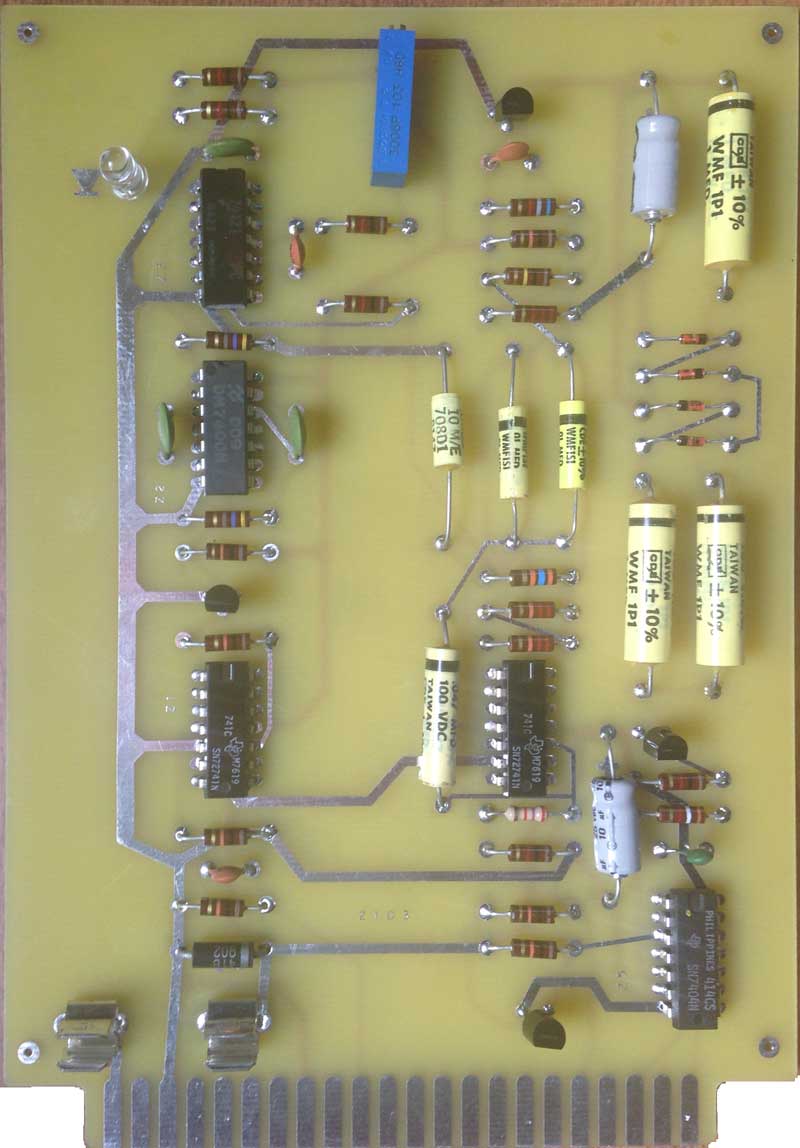
SCELBI Cassette Read Card

SCELBI Cassette Read Card

Since I didn’t have information on the transistors used, I choose vanilla 2N3904 (NPN) and 2N3906 (PNP) transistors for this build. The 72741 OP-AMPs are vanilla 741 OP-AMPs in a 14 pin package. They are pretty hard to find in that package, but I did manage to snag a few off of eBay. I described where I found the yellow capacitors in a previous post. You will notice one carbon film resistor in the mix. That is because I forgot to order a 2700 ohm composition resistor, and I happened to have the right value carbon film resistor in my stash.

This card is essentially just a tone detector. I should be able to test functionality and performance and adjust it without hooking it up to my SCELBI by using a computer based tone generator application that I bought a while back. This is what I did when resurrecting the HAL ST-6 TTY terminal unit. Except for frequencies used, it basically does the same thing, though at a much less sophisticated level.

One unique thing about this board is that there isn’t a single VIA present.

SCELBI Tape Recording

I made this with a tape recorder this morning.

I will not be able to verify that it’s working 100% until I get the cassette read card built, but it sounds a lot like the sound of an original SCELBI tape that Mark Arnold sent me a little while back.

The format is substantially different than the format WOZ used later on for his Apple computers. The SCELBI actually uses the ones and zeros to switch output between two frequencies, instead of directly generating the waveform in software. This is very similar to how RTTY AFSK (audio frequency shift keying) is done. Though I don’t have the audio format entirely figured out, it appears substantially more complex than the Apple format, with each nibble being sent as a sort of independant packet.

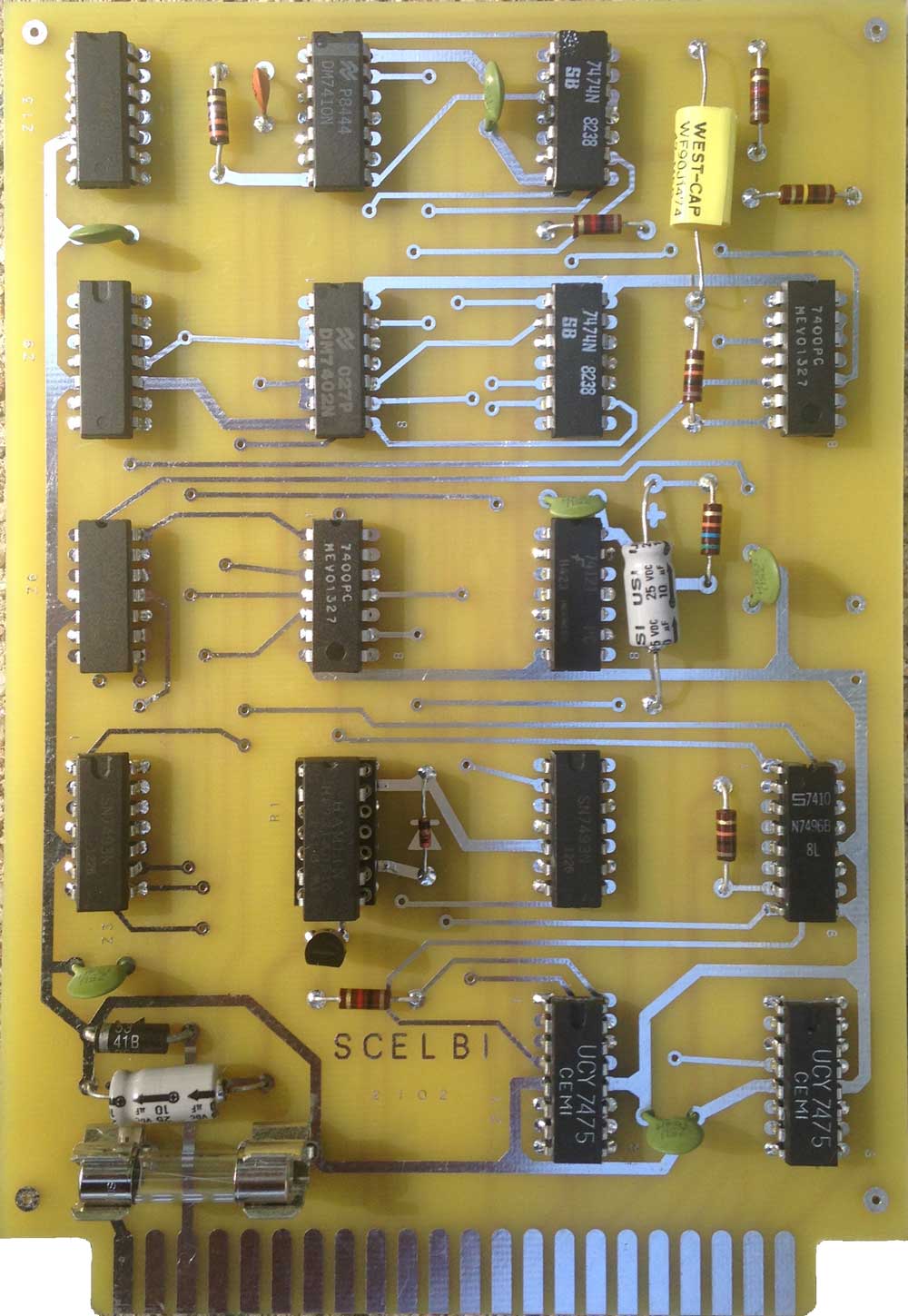
First Reproduction SCELBI Write Card Built

Reproduction SCELBI Cassette Write Card

Reproduction SCELBI Cassette Write Card

Here’s a link to an original write card for comparisions sake.

Except for the relay, I soldered chips directly on the board. Departing from what I did with my SCELBI RAM boards, where I used NOS solder tail sockets, I used a machine pin socket for the relay. No serious issues were found during the build. I powered up and found it draws about .25 AMPs, so I put in a .5 amp fuse. The BOM I published in a previous blog entry was missing a 74121, but I had one of those on hand. I used a 2n3904 transistor to drive the relay and the schematic is missing the value for a 1K resistor. There is a place for a capacitor on the output, but none exists in the images of actual boards that I have seen, so I left it out.

I just noticed I forgot to put in the jumper next to chip Z6.

Outside of some articles in Micro-8 newsletter and some mention in other documents, we don’t have any original documentation for SCELBI peripherals. Once I get everything working, I’m going to have to create some docs for these cards.

After adding the jumper, I’ll build a cable between an edge connector and an 86CP11 connector, so I can plug it in to my 8B and see what happens. I will eventually put it and the read card in an a small aluminum enclosure like the originals had.

An Apple with a Very Interesting History

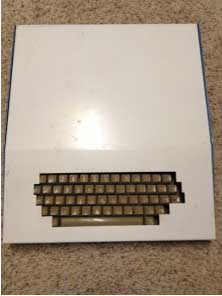
My web site doesn’t draw the number of hits that many more popular sites do, but my site occasionally attracts some emails that turn into very interesting stories. The discovery of John Draper’s Apple II is one of them, and I need to put together a few more posts in order to describe his system and it’s history. However, right on the heels of the discovery of Draper’s Apple II, another very interesting system has just surfaced which is housed in this enclosure.

Apple Case

Apple Case

The story is that it was taken out of Steve Jobs office by Apple employee and manufacturing engineer, Don Hutmacher, after Steve was fired in the mid 80s. The story goes that Don was allowed by his boss to go into Steve Job’s office take anything that was left over. It had been picked clean by the time that he got there. He noticed this computer and a bag of Starbucks coffee, and that is how he ended up with it.

More to come…

Amazing Discovery

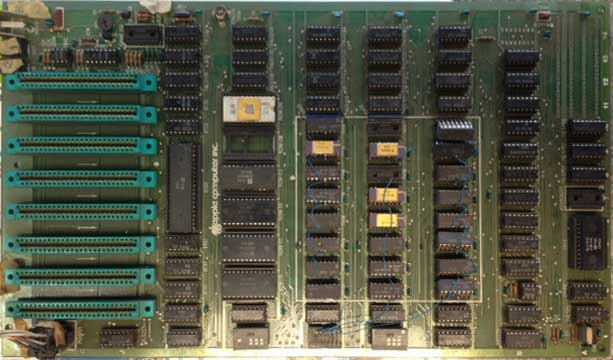
In a previous post, I mentioned that an amazing vintage find has just been made. Last week, I received an email with this picture.

Apple II rev 0

Apple II rev 0

The person said, “Hi mike. I found your page via Google. Can you help me identify this apple product please? I think it is an apple ii board. ”

I receive these sorts of requests from time to time and this request for information is typical. My answer went like this:”It’s a revision 0 Apple II motherboard. You don’t find many with original 4K memory jumper blocks still installed. Almost all of them were upgraded to use 16K memory chips. Looks like someone has done some unconventional memory upgrades, but it otherwise looks pretty original. It could be a really early one, the serial number is usually written in sharpie in the white block near the power supply connector. There may be some masking tape over it.”

After a few more email exchanges that day, the person sent me an email declaring that he thought it was “Charley”. Charley is the machine that John Draper, “Captain Crunch” turned into the first phone freak computer. This machine was seized during a police raid at a housewarming party, held on 22nd of October, 1977. Here is a link to a copy of the party invitation.

There is always the danger of fraud in cases like this, but I’m pretty well convinced that this is actually “Charley”, and I’ll explain more in a future post.

SCELBI 8B Working in New Chassis

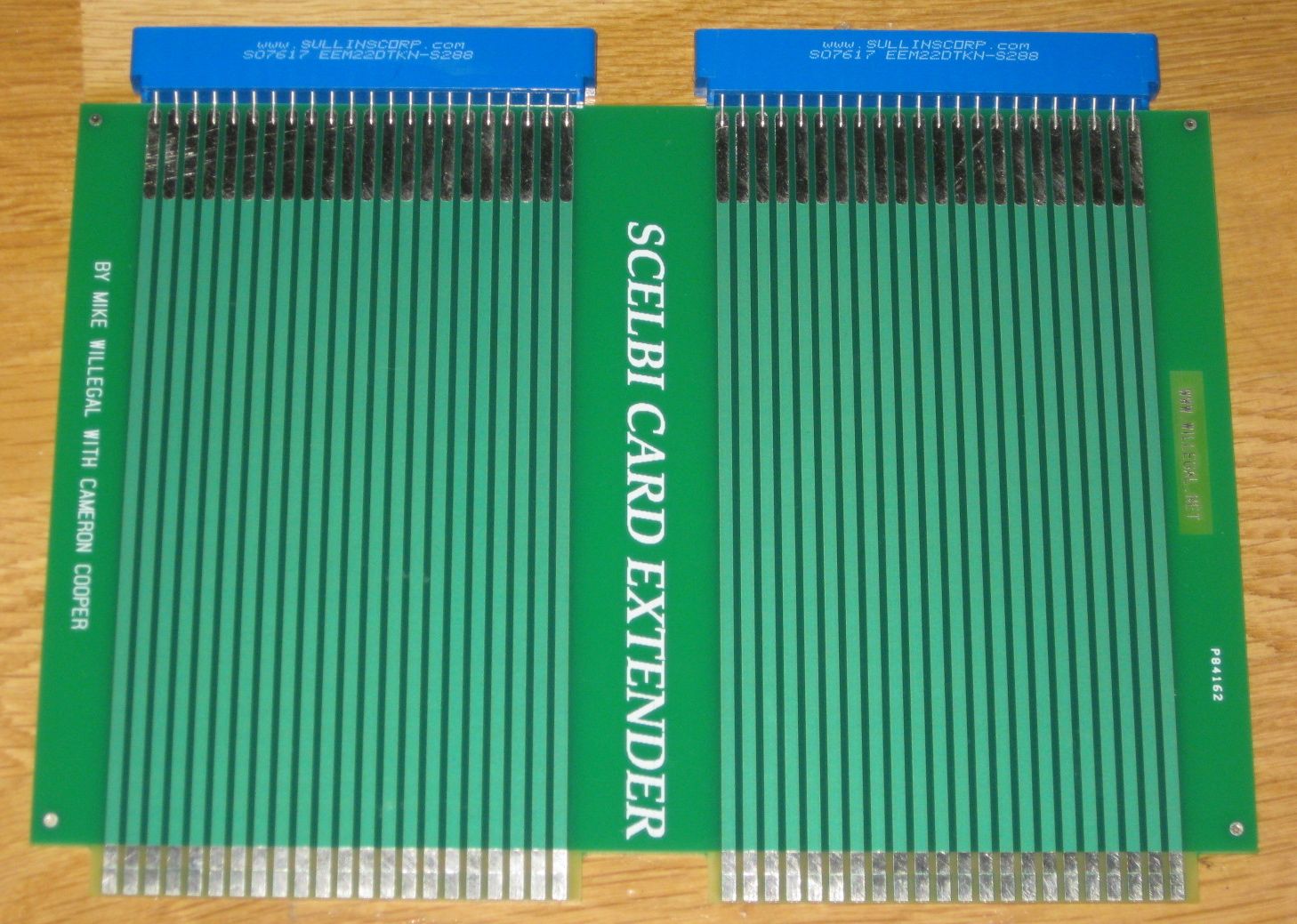
I had a couple of issues. A poorly seated DBB card. This was followed by trouble using the extender card that Cameron Cooper and I had made a while back.

SCELBI card extender

SCELBI card extender

When the extender was added to troubleshoot the DBB card, it introduced noise on the strobe lines, which resulted in issues with my TTY interface. Removing the extender card, and properly seating the DBB card resolved all issues.

Next up: another attempt at printing the front panels and construction can start on the cassette interface cards.

Potentially Amazing Apple

I frequently get email from people wondering about the value of an Apple 1 or II computer. Often they are ordinary systems, of little special interest, but once in a while, a gem surfaces.

I was contacted yesterday by someone that wanted more information on what appeared to him to be an early Apple computer. This was a system that his dad was about to trash. After exchanging a number of emails with this person, he thinks he discovered that this could turn out to be a system with a very special history. Now people that read my Applefritter post about that thrift shop Apple 1, know that I’m kind of skeptical about this kind of stuff. However, this one really has me excited. More coming soon…

SCELBI 8B I/O Port Wiring Completed

SCELBI 8B Wiring Complete

SCELBI 8B Wiring Complete

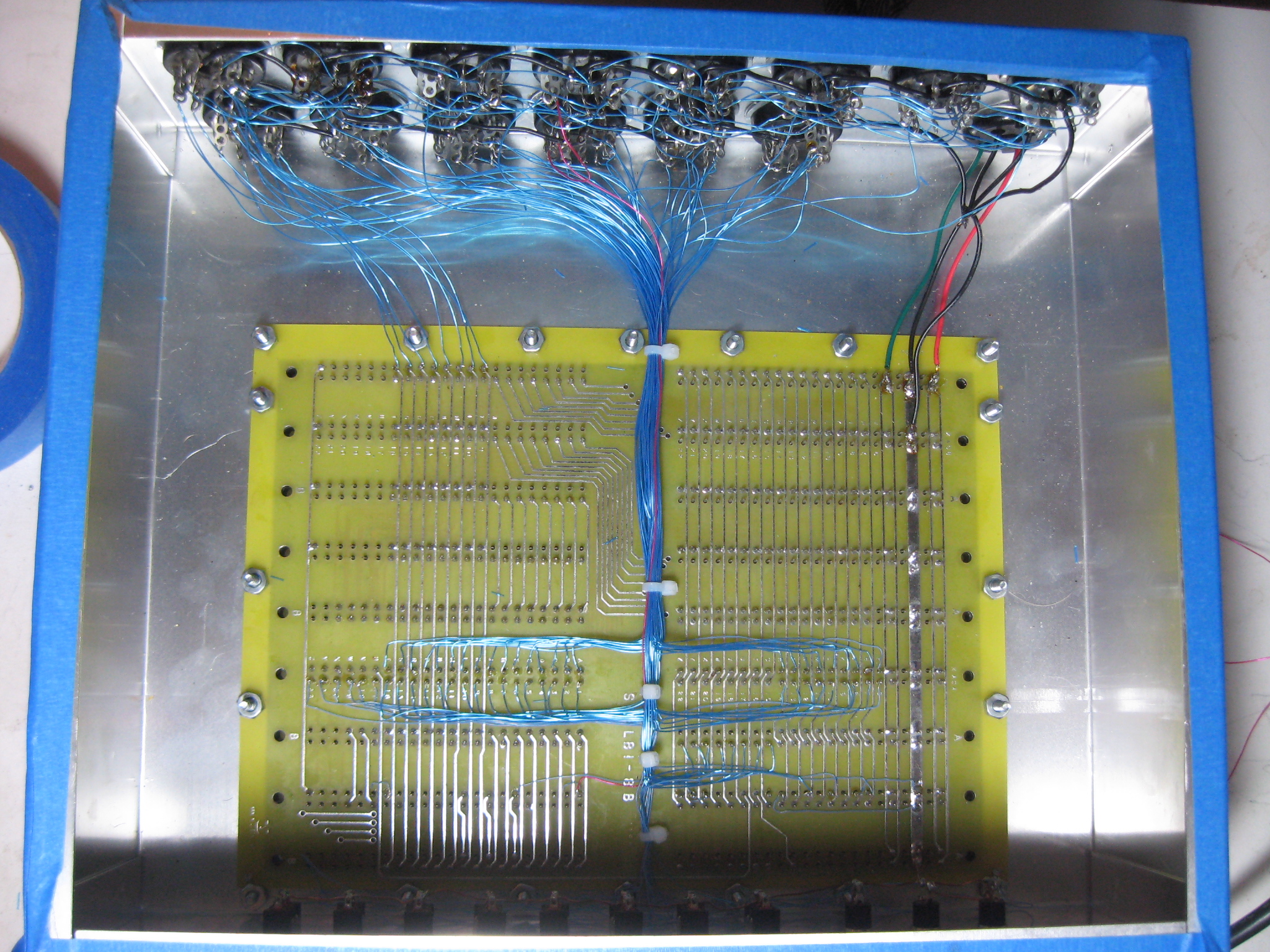
I decided to wire the data output bus to the end connector rather than split between the middle two connectors as specified in the SCELBI build manual. I choose to do this primarily because of the cleaner wiring that is possible. The way the data bus is connected to all the memory cards, all the I/O ports and then to connected peripherals through long cables, leaves lots of room for transmission line issues. This concern, is probably why SCELBI recommended connecting four bits to each of the two center connectors. I’m no expert on transmission line theory, so I’m not sure whether the end connection will cause any issues that will require redoing this particular wiring. My guess is that given all the other wiring and relatively low data rate, is that it will have no measurable affect, which is why I’m trying it. The other thing about it, is the idea that I picked up somewhere along the way that branching transmission lines is generally a bad idea. I suppose I’ll have to compare my 8H which was done the SCELBI way with the 8B and see which looks cleaner, electrically.

The other thing I’ve done, is to connect the CPU SYNC clock to pin 10 of input port 3 and pin 10 of output port 3. These are the two red wires, one down the middle of the backplane, and the other from input port 3 to output port 3. Based on my examination of the SCELBI cassette schematics and drivers, it looks like this will be needed to provide timing for the cassette interface.

The last two items before moving onto the cassette interface is checking out the system, now that the I/O is wired and then, finally, screen printing the front panel. I did try screen printing a panel a week or so ago, but had issues with my screen not being stretched tight enough and I’ll have to make another one.

SCELBI Wiring Tips

I’ve had a couple more wiring sessions and only have something like 32 wires to go. I’m doing things a little differently than on the 8H and figured I’d share a few tips.

SCELBI Wiring in Progress

SCELBI Wiring in Progress

First of all, I’m not following the order listed in the SCELBI hardware manual. Here is the progression I’m going through, and why it helps.

  • First, I put in the ground wires. I’m using a little heavier gauge wire on that, and it’s a little less flexible. It’s easier to put in first, because I don’t have to work around all the data and strobe lines.
  • Next I put in the data output bus, wiring pins 1 through 8 from output socket to output socket. These wires are all the same length, so I cut and stripped these wires in batches. Then I did a batch of soldering. I’m not connecting this bus to the backplane, right now. I’ll do that near the end of this process.
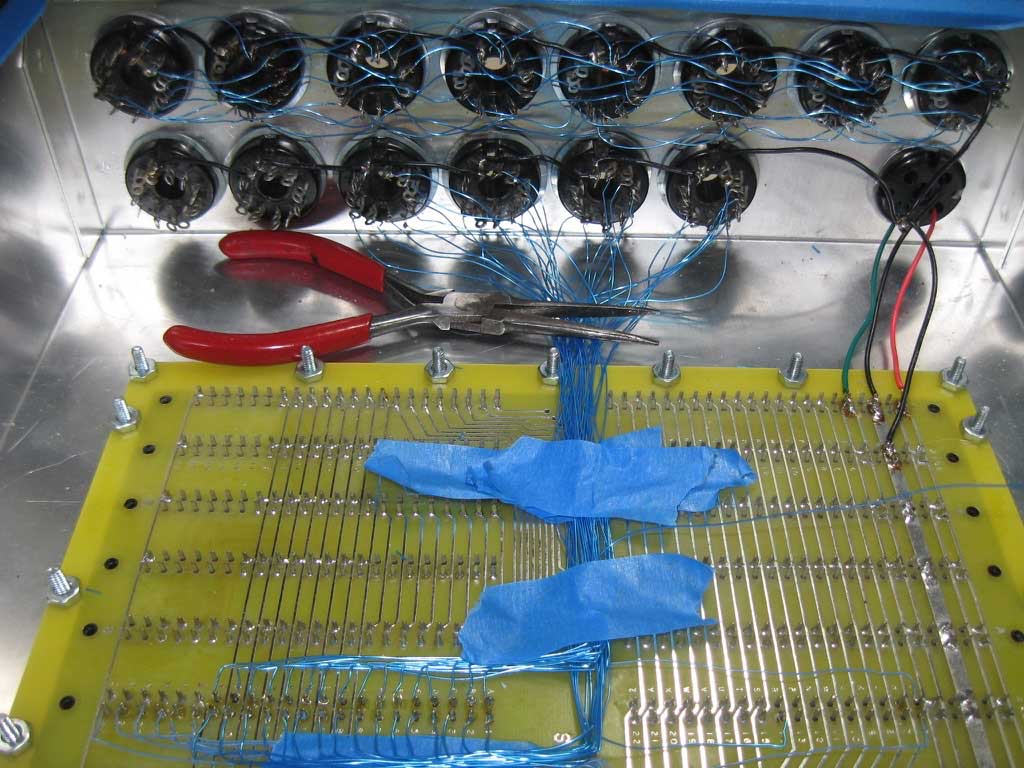
  • Next step is the data input lines. Here I have almost completely reversed order from what is listed in the manual. Start with wiring the data bus to port 6. Then work down the line towards port 1. This way, the longer wires go in last, and you will not have to work over and around them, when you solder the shorter wires. The other important change is to wire bit 8 first, working around the connector to bit 1. If you wire from bit 1 to bit 8, as listed in the manual, the higher numbered bits will be harder to wire, because the wires to the lower bits will tend to be in the way of higher numbered bits. This time, I’m paying attention to the manual and using some painters tape to hold the wires down as I work. This keeps things much neater as you proceed. You’ll notice that I also have a needle nose pliers holding down the wires near the sockets.
  • The easiest way to connect the wires to the backplane, is to strip about 1/8″ from the end of wire and use a needle nose pliers to make a small loop, just larger than the size of the pin. Hook the loop around the backplane pin and hold the wire down with a weight of some sort. At that point, you can solder it using two hands and make sure there is no short and adjust it pretty easily. Lead the wire away from the post, and bend it with a needle nose pliers as it works its way to the I/O connecters. Use a piece of painters tape to hold it in place. Cut it to length. Then strip the end and use a needle nose pliers to curve it into a hook shape. Use the hook to connect it to the correct connector pin. This will help hold the wire place, which makes soldering easier.
  • The last wires I’ll do are the data output bus wires and the output strobes. I’ll do these last, so that those wires will not get in the way of the input wiring process which happens on the lower tier of connectors. I haven’t decided how I’ll route the output data lines, but I may route them directly to the output port on the end closest to the data buses location on the backplane.
  • SCELBI 8B I/O Port Wiring Progress

    There are 80 wires to the eight output ports on a SCELBI, and 54 wires to the six input ports. All wires must be cut to length, stripped and soldered by hand. This wiring is, by far, the most tedious and time consuming single task involved in building a reproduction SCELBI. When I wired the I/O ports on my SCELBI 8H, I did it in one marathon session that took almost an entire day. For my 8B, I’m not in so much of a hurry and so far, have had 3 shorter sessions and have 56 of the 134 wires connected. The connected wires are all the ground wires for both input and output. I also have 6 bits out of the 8 bits of the output port bussed together, but not connected to the backplane. For connecting the output data bus, I found I could cut and strip a batch of equal length wires, then solder them between connectors.

    SCELBI 8B I/O Port Wiring in Progress

    SCELBI 8B I/O Port Wiring in Progress

    The blue painters tape is there to protect the edges of the enclosure while the system is being constructed. I think another three or four sessions and I’ll finally have the wiring task done.