Archive for the ‘HAM’ Category

Tektronix 465 repair

Thursday, January 22nd, 2015

SCELBI clocks

SCELBI clocks


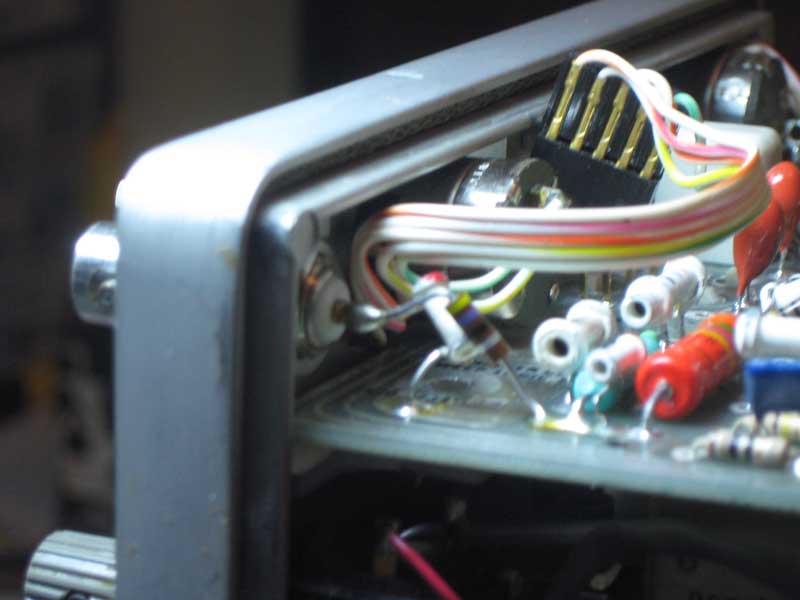
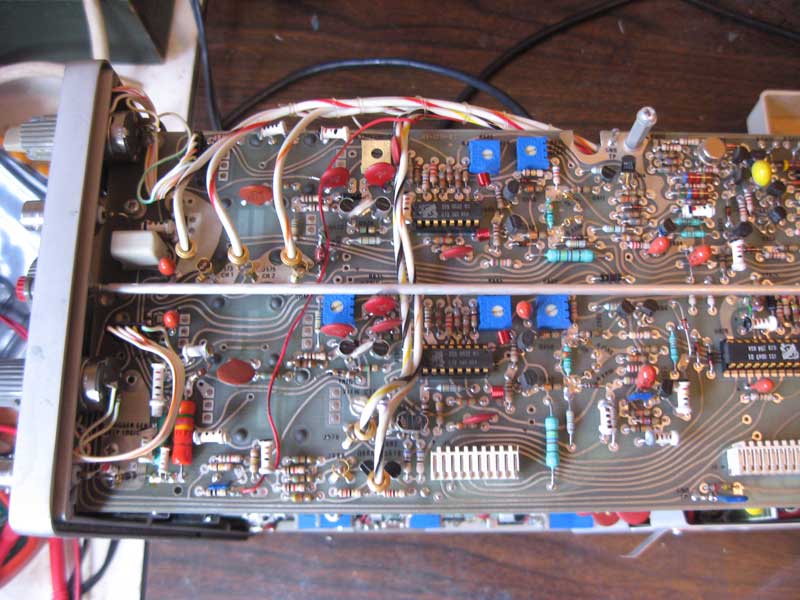
Those of you who have followed my blog probably know how much I rely on my Tektronix 465 dual channel oscilloscope. I don’t own a modern scope or any logic analyzer at all. This scope is my main go to device, when more information is needed than what a simple DMM can provide.

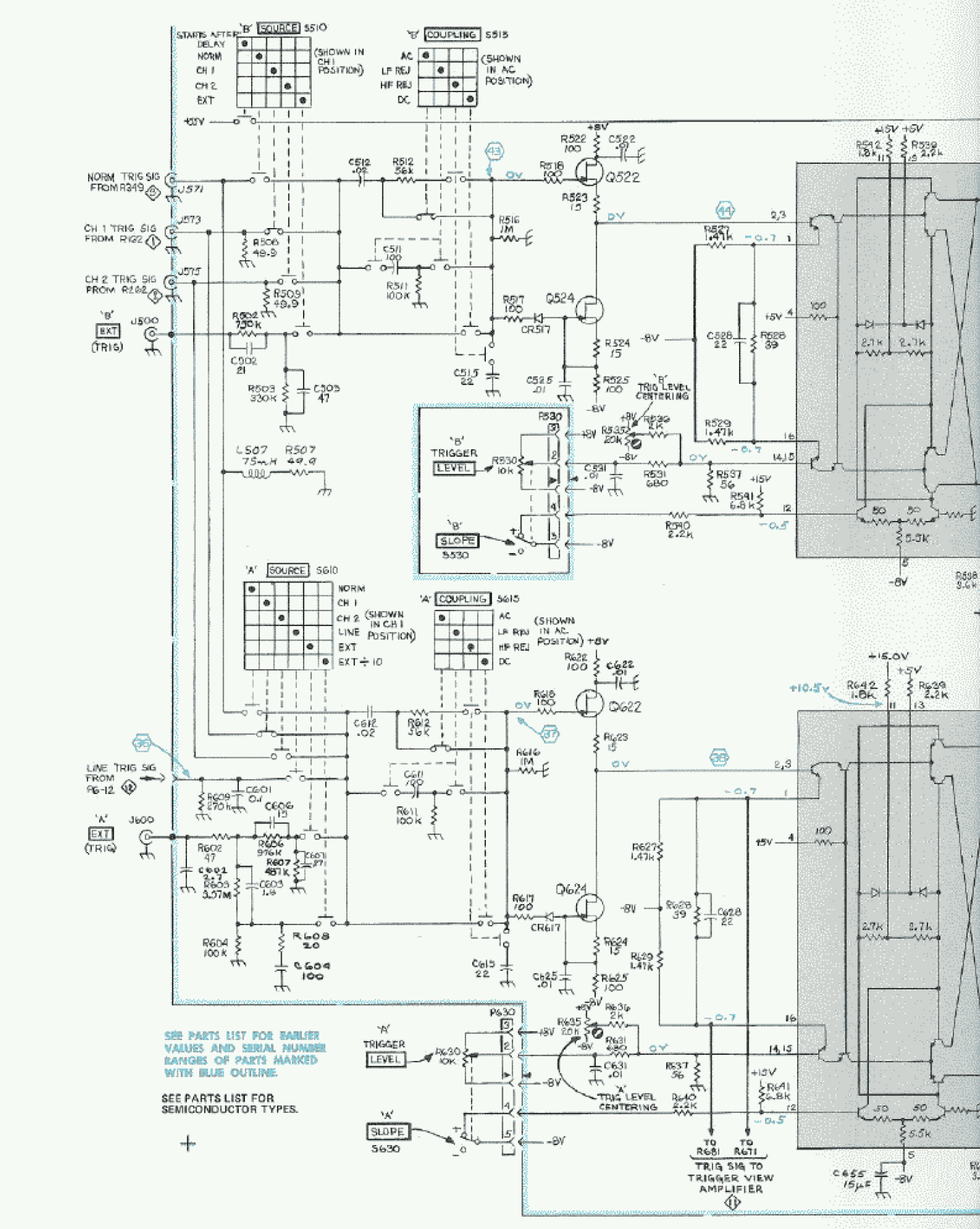
Sunday, right at the end of my dummy load exercise, a serious issue with the faithful 465 suddenly appeared. At that point, the main trigger level control failed to function. I could no longer set the trigger “A” level, which pretty much makes this scope useless.

Before I go into what happens next, I’ll describe a little history of this unit. Prior to Sunday, my treasured 465 had a couple of other, less important problems.

  • The “B” trigger slope switch didn’t work properly, so the “B” trigger would only trigger on down slopes.
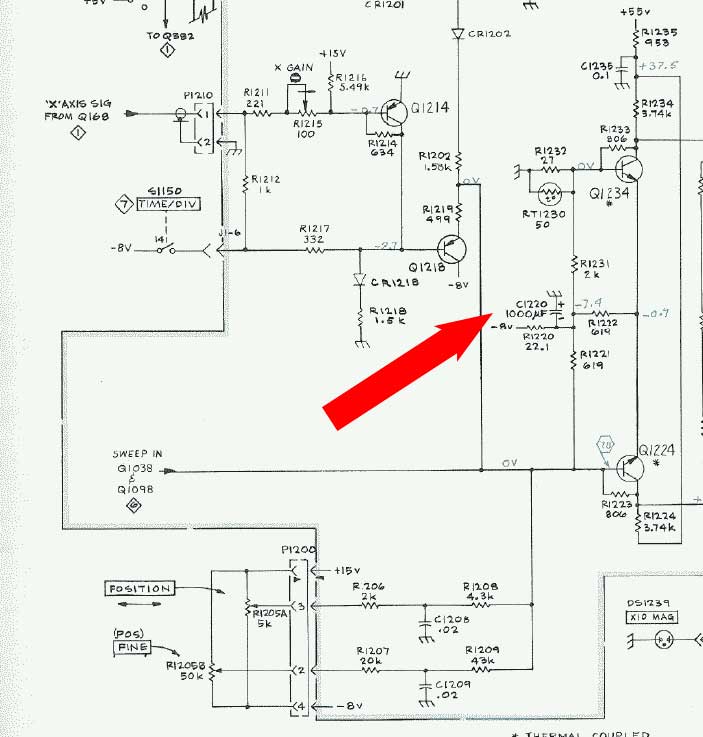
  • The horizontal position knobs didn’t work very well. The coarse knob sort of worked, but the fine knob was useless.
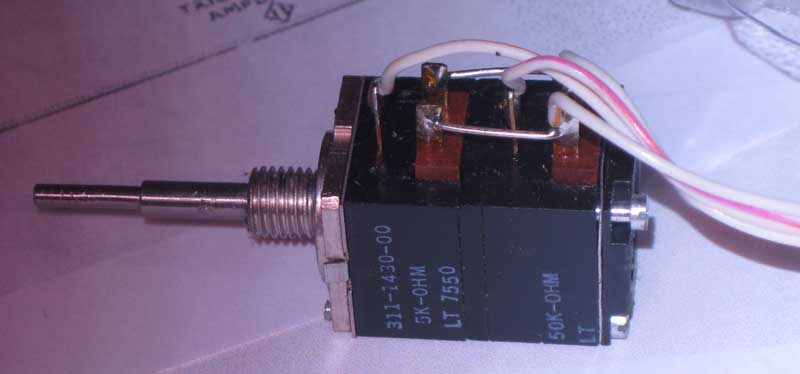
  • The “B” trigger level and slope control was damaged when the scope was shipped to me and the scope took a hit to the front corner. I disassembled the switch and straightened the bent components when I first got the scope and got it working. My repair was less than perfect, and after a bit of usage, the slope switch broke again. I don’t use that feature very much and didn’t bother to fix it again until a couple of months ago. I decided I wanted it to work right and I went in and fixed the slope switch again. This time, I think I bent the sheet metal just right and the switch worked just like new when I was done. If you are handy, these switches are surprisingly repairable, but you need to tweak things, just right. Even though I fixed the switch, itself, the slope function still didn’t work. It still only triggered on the down slope. There must have been some kind of problem in the circuit. Anyway, being a little intimidated by the apparently complexity of the electronics in this scope, I decided to leave good enough alone, and left the “B” trigger control in the broken state.

    The other issue was that the coarse horizontal position control was always a bit jumpy. It worked well enough that I could position the start of the trace in the general area that I needed it, but it wasn’t a pleasure to use. The fine control was just about useless, since I first received the scope.

    There is one other issue with scope that showed up in the last few weeks. I think it started with a rather large cup of coffee that I spilt on my work bench. I cleaned it up, but I didn’t realize until a week or so ago that some of the coffee had dripped off my bench onto the front of the scope which is kept stored on the floor right next to that bench. Well, when using the scope a week or so ago, I noticed that controls were incredibly sticky. The buttons were most noticeably sticky and I had to force them to move. It was very puzzling, until I remembered spilling the coffee. At that point it had all dried up and there was little I could do, except keep using the scope and hope the controls would loosen up over time. The alternative would be to disassemble the scope and clean the controls. Do to the complexity of construction of this device, this is something that I was hesitant to undertake.

    That brings us up to last Sunday, when the trigger level control malfunctioned.

    to be continued…

    Dummy Load Fun

    Monday, January 19th, 2015
    Dummy Load

    Dummy Load

    A dummy load is an antenna replacement that doesn’t actually transmit. It is used to tune up and check out RF transmitters. I needed to build one to check out my vintage HAM transmitter before actually getting on the air. The last thing I want to do as a new HAM, is to transmit a poor signal. The design of a basic dummy load is pretty simple and is composed of two main components.

  • A source of impedance, that is designed to act like an antenna
  • A way to dissipate the heat that the source of impedance creates
  • Some loads may also have additional capability to measure power and other important parameters of your transmitters signal.

    I could have purchased a dummy load, but like many things in my life, I decided to do things the hard way and build my own. Several months ago, I started work on this project. I found a simple design on Ken, K4EAA’s, website. This design utilizes an array of resistors that combined together produce an equivalent to the 50 ohm load that a well tuned antenna would generate. I proceeded to procure the necessary components. I purchased the resister’s that Ken sold, a paint can at the local hardware store and a few other components at a couple of different places.

    My load is almost the same as Ken’s, except that I put the “hot” side on top and the ground side on the bottom side of the can. I figured that the hot side would be a little less likely to short out to the side of the can, if built that way.

    An option with this unit, is adding a couple of binding posts that can be used to measure the power being consumed. The extra components needed are only a diode and a capacitor. Ken’s unit was built with 2 1N4148 diodes, but he provided a BAV21 with the resistor set. One key parameter of the diodes is the max reverse voltage. The HF output of a 100 watt transmitter, like my Kenwood, can be over 100 volts. The BAV21 has a max reverse voltage of 200 volts. The 1n4148 spec lists it as 100 volts, which is why Ken put two in series.

    Anyway, after constructing the dummy load, the fun really began. Before installing the capacitor, I attached my radio to the dummy load and tried out the basic load functionality. It worked perfectly, with my SWR meter showing an SWR barely over 1. Next I attached a 250V, .001 uF capacitor that I happened to have left over from a previous project. Here is where things started going badly. The SWR went off the meter with the cap attached. I tried several things, checked how I had mounted the diode and binding posts and couldn’t see anything seriously wrong. After a little while, I gave up and left the capacitor off. I figured I would revisit the project in the future.

    Fast forward to this last weekend. I’m getting ready to go on the air, and figured that I needed to check out my transmitter again. After successfully checking out the transmitter, I decided I needed to take another look at getting the power measurement feature of the dummy load working.

    This time, I had my oscilloscope ready, and was going to investigate more exhaustively. First, I tried a lower value capacitor to no effect. After hooking up the scope, I found the signal on the binding posts looked like a miniature version of 100 volt sine wave that the transmitter was sending. The signal between the binding posts was about 10 volts, peak to peak. After quite a bit of messing around with other capacitors and measuring various aspects of the simple circuit, I figured I’d pull up the BAV-21 data sheet.

    What I found, pretty much indicated that a BAV-21 probably wasn’t the right diode for the job. All capacitors have a parameter called reverse recovery time. This is the amount of time for the diode to switch from conducting to not conducting in the reverse direction. Well the data sheet value for a BAV-21 is 50 nano-seconds for their standard test conditions. I did a quick calculation. What the calculation showed me is that when exposed to a 20 MHZ sine wave, it will never completely shut off. Though I was testing at around 10 MHZ, it seems that the selection of that part probably wasn’t ideal.

    I have a number of 1N914 diodes around and pulled up the data sheet. Reverse recovery was listed at 4 nano-seconds, which means it should work much better. The down side is that the max reverse voltage is only 100 volts. I also found out that the 1N4148 that Ken used has the exact same specs. In fact, these days, they are considered the same part. I figured I could do a quick test with a single 1N914, since the voltages I measured were around 100 volts. I figured that it was near the limit, but if I didn’t run it too hard, it should survive.

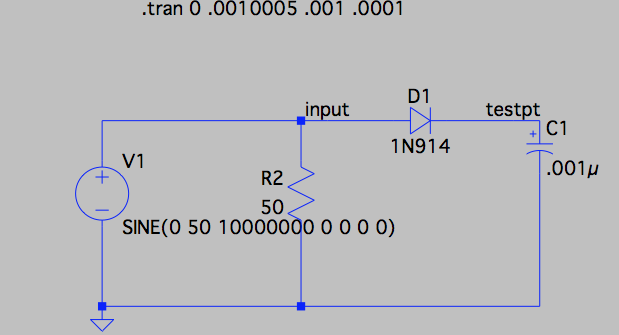
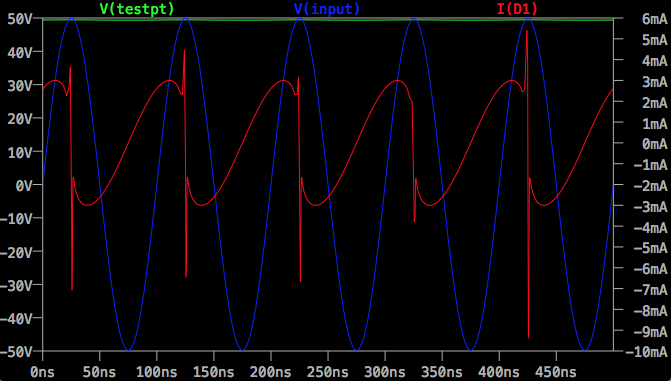
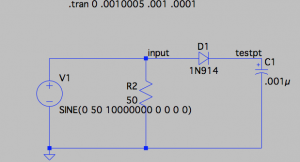
    I hooked everything back up. The SWR was now perfect, but the measurement values on the binding posts are still bad. Now, I’m really confused and decide to do an LTspice model of this simple circuit.
    Spice Dummy Load Model

    Spice Dummy Load Model

    I learned a few things doing the simulation.

  • The circuit should work fine
  • A larger cap will not give any better results than .001uF
  • Spice Dummy Load Model

    Spice Dummy Load Model

    The blue line is a 100 volt peak to peak transmitter signal. The green line at the top should be the value at the binding posts. The red line shows the current across the diode. The sharp negative spike in current is the reverse recovery time. I did a brief search, and I couldn’t find a model for the BAV-21. Would be interesting to see what a simulation of that diode looked like.

    After doing this analysis, I scratched my head some more, and did some more checking connections and signals. Finally, I determined that the 1N914 diode was dead. I must have exceeded the reverse voltage rating and fried it. I should have put two of them in series, like Ken did. I replaced the burned out one with 2 1N4148 diodes in series and everything started working perfectly.

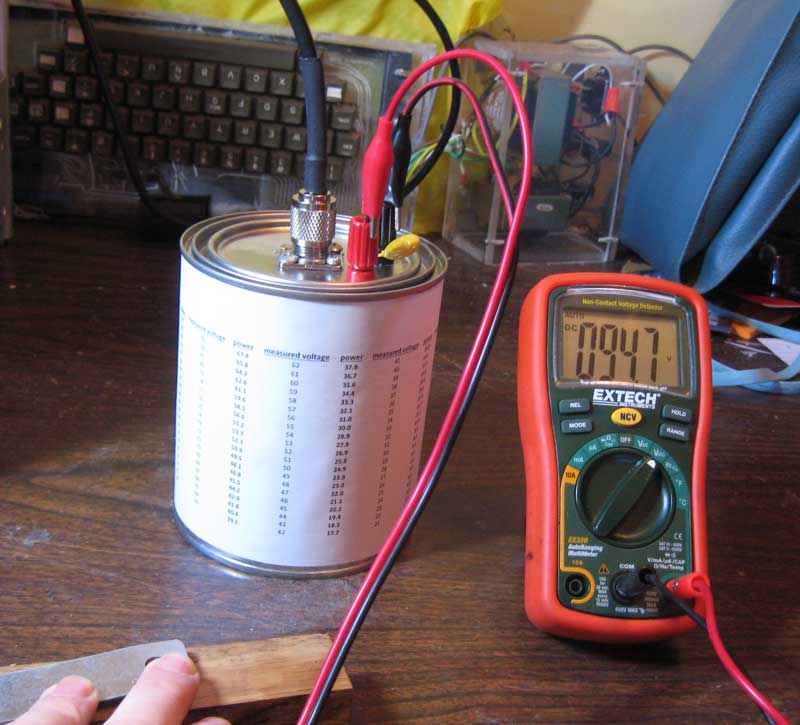
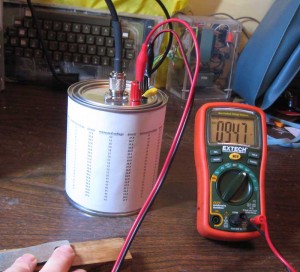
    The chart on the side of the can, was created by measuring the resistance of the load and the diode drop of the two 1N4148 diodes. I created a spreadsheet that calculated power for each possible voltage measurement. I printed it out, cut it to size and glued to the side of the can.

    I’m still a bit surprised that several sites list the BAV-21 diode as the correct part for this job. Dummy loads have been around for decades. You would think that errors like this would be corrected by now.

    ExTech EX-330 multimeter snapshot review

    Tuesday, January 6th, 2015

    Cutting to the chase, I’m a bit disappointed with this multimeter. I bought it primarily based on low price, features and relatively good review in Dave Jone’s EEVblog #91.

    The Ohm, DC volts and Diode check function work as expected. Some of the other features don’t work as well as I had hoped.

  • AC volts doesn’t work in millivolt range
  • Capacitance tester is basically unusable, except for a very small range of smallish caps
  • My sub $100 Tek 465 oscilloscope can be used for checking AC volts, though accuracy is approximate.

    The Fluke counter I picked off of eBay and repaired for around $40 is vastly more accurate and usable for frequency readings.

    At some point, I’m going to have to pick up a more capable capacitance tester, but in the past I have hacked one together out of spare parts on the few occasions when I really had to have one.

    For the features that do work well, the ergonomics of the EX330 are quite nice, much better than the $29 unit that it’s replacing.

    Bottom line – you get what you pay for, though I’m starting to believe that if it works or can be repaired, there can be some real bargains found in the vintage test gear marketplace. :-)

    Kenwood TS-530S Alignment

    Saturday, December 27th, 2014

    Vintage radios work exclusively in the analog domain, with alignment done by adjusting numberous discrete coils, capacitors and resistive elements in the system. This is vastly different from my experience with digital computers, where, for the most part, the equipment works or it doesn’t and seldom is tuning required.

    Though my Kenwood transciever has been working pretty decently, it did have one apparent issue that made me think that it needed an alignment. When switching from USB (upper side band) to LSB (lower side band), the “tone” of the audio output changed a little bit. I didn’t think that this was correct behavior and have been intending to do an “alignment”, which involves following a rather involved 25 step tune up proceedure. This is one reason that I have been acquiring test equipment, like the Marconi signal generator and Fluke counter.

    Yesterday, I spent a couple of hours in which I started the alignment process. I made it through steps 1 through 7 of the 25 step process. Oh, and I also had to skip ahead and do steps 11 and 17 when I adjusted components on the IF board instead of the PLL section ruining previous settings. As I move through the rest of the steps, I’ll have to redo those steps as the intention of the process is to do things in a certain order. This is so that later steps don’t ruin the settings of earlier steps.

    I found that the job takes a lot of time, but I didn’t have any particular difficulty with any one step, other than adjusting the wrong components. This makes me think that the sections of the radio that I have adjusted don’t have any major problems.

    The good news is with the completion of these steps, the difference in audio from the LSB and USB has disappeared and no other ugly phenomena has surfaced. I must be doing something right, or else I’m pretty lucky.

    The reason I stopped at step 7, is that steps 8, 9 and 10 requires either going through a range of frequencies manually with a signal generator or the use of a sweep generator. I started working on building a sweep generator a month or two ago, so I’ll wait until either the sweep generator is working or is given up as a failure before continuing with the alignment. I’ll talk more about my sweep generator project in a future post.

    Video Posted Showing RTTY RX with Vintage Gear

    Thursday, December 25th, 2014

    Check out my latest podcast.

    feed://www.willegal.net/feed.xml

    The Radio Teletype receive function seems to be working real well. The work I did in the “lab” preparing for this, resulted in almost immediate success upon hooking up my rig to a real HAM receiver.

    Before I can start transmitting over the airwaves, I still have to do some work with antenna tuning, write an Apple IIe RTTY transmit driver and generally check things out in the lab. I also have some kludged cabling going on that needs to be fixed.

    That said, I think that KC1CKV will soon be on the air…

    73

    HAL ST-6 RTTY TU Restored to Operating Order

    Monday, December 22nd, 2014

    In a previous post, I showed a picture of my HAL ST-6 RTTY Terminal Unit.

    Now that I had the SCELBI 8B working, in my spare time, I have devoted a few hours to getting the ST-6 up and operating. For those of you who aren’t aware, an ST-6, demodulates a Radio Teletype (RTTY) signal and presents a current loop data stream to an external device. It was intended for connection to a Teletype, but I’m connecting it to my vintage computers.

    The HAL ST-6 is quite a different beast, as compared to the computers I’ve been working with over the years. There is a lot of hand wiring in it, and each module is filled with discrete components along with a few op-amps.

    inside the HAL ST-6

    inside the HAL ST-6

    The RTTY signal comes in several forms. My mid 70’s era HAL ST-6 was designed to support demodulating a signal with frequency shift keying offset of 170, 425 or 850 Hertz. Instead of a teletype, my plans are to have a vintage computer decode the serial stream and display the incoming data. I’m starting with an Apple IIe and have written a driver for the old serial printer board that supports current loop. The driver reads 45.45 baud 5 bit BAUDET format, converts it to ASCII, and displays it on the screen. Eventually I hope to be able to port this code over to a SCELBI.

    For testing purposes, I’m using an internet RTTY audio stream. This audio is routed from a computer speaker output to the HAL ST-6 audio input. This audio stream replaces the radio’s audio output of a real RTTY stream, which would normally come from the speaker output of the radio. At this point, except for a few quirks with my Apple II software, it seems to be working quite nicely. Once I get the kinks worked out of the software, I’ll hook it up to my radio, and see if I can tune in some real RTTY broadcasts.

    RTTY tuning in the old days was enhanced by hooking an oscilloscope in XY mode to the oscilloscope output of the ST-6. I have done the same with this test stream and think I have a pretty good pattern.

    RTTY eye pattern

    RTTY eye pattern

    Getting the HAL ST-6 up and running wasn’t trouble free. At first, the output of the 170 Hertz filter/limiter wasn’t working at all. It took quite a bit of debugging before I discovered that a potentiometer case was shorted against the windings of a coil. While debugging this issue, I found and repaired a broken wire on another coil. I also tweaked the “alignment” and spent considerable time just checking out the circuit to make sure everything was working correctly. I also spent a lot of time chasing “issues” that turned out to be operator error, but I learned a lot in the process.

    Once I get reception working well, and get a handle on how real operations work on HAM RTTY, I’ll start working on the transmit side of things. This HAL ST-6 has an audio FSK modulator incorporated in it. I’ll have to be cautious about how I bring it up, since AFSK operations are well known to have a lot a issues with harmonics and spurious noise.

    High Value/Low Voltage Capacitor Capacity Test Circuit

    Friday, December 5th, 2014
    High Value Capacitor Value Test Circuit

    High Value Capacitor Value Test Circuit

    This simple circuit can be used to test the capacity of low voltage, high value capacitors.

    Use the well known RC formula: Time = Resistance * Capacitance

    Connect a DC voltmeter between TP1 and TP2. Start with the 10 volt power supply switched off and the capacitor discharged. The voltmeter should read close to zero. You can short positive and negative sides of the capacitor with a resistor to discharge it.

    You start the timer and switch on the power supply. Stop the timer when the voltage reaches 6.3 volts.

    Since time and resistance is known you can now solve for capacitance.

    Capacitance = Time/Resistance.

    So if you have a 470 uF capacitor, with a 10K series resistor in the circuit, it is supposed to take .000470 * 10000 = 4.7 seconds to charge to 6.3 volts. If, in your test, it actually takes 10 seconds to reach 6.3 volts, you can calculate the actual capacitor value. In this example, 10 seconds /10000 ohms = 1000 uF.

    You can increase the value of the resistor to check lower valued capacitors, but it will hard to check real small capacitors with this circuit. You can use a 555 timer circuit to check real small capacitors, but thats a subject for another blog posting.

    ESR Tester

    Tuesday, December 2nd, 2014

    I used this 99 cent design from the web to build a basic ESR tester.

    https://archive.today/301HS

    After building and testing it on a solderless, plug in bread-board, I transferred it to a more permanent soldered PCB.

    99 Cent ESR Tester

    99 Cent ESR Tester

    The idea of this design is that capacitors all have inherent resistance. This resistance can be determined by sending a fairly high frequency sine wave through the capacitor, as except for the internal resistance, a capacitor of more than a couple of uF will act like a short. The resistance can be calculated by putting the capacitor in parallel with a known resistance and using the formula for resistors in parallel.

    1/R1 + 1/R2 = 1/Rtotal

    Though a proper ESR tester uses a sine wave, the square wave which this circuit generates, is good enough for purposes of basically determining if a capacitor’s internal resistance is higher than expected.

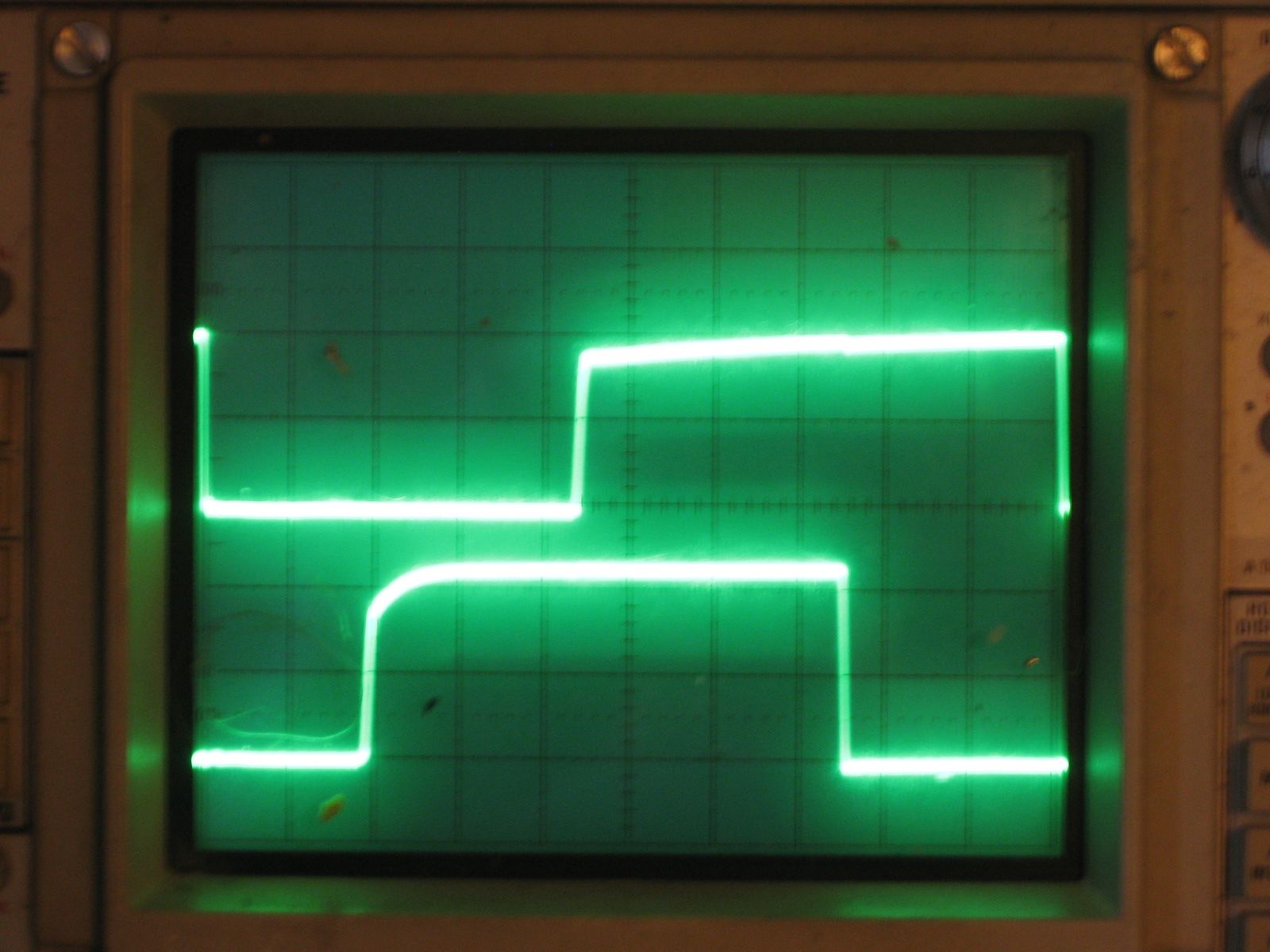
    I used a 10 ohm resistor in parallel with the capacitor. If the capacitors resistance is pretty high at 10 ohms, then the amplitude of the square wave, as seen on a scope at the input to both the 10 ohm resistor and the capacitor, will be halved. A low ESR of say 1 ohm will result in the amplitude of the wave decreasing by 90%. A higher resistance, such as 100 ohm will have little effect on the amplitude of the square wave. So, depending upon the specification of the capacitor, you can determine if behavior is as expected or not. Most capacitors will have a low ESR of say 1 ohm or less, which results in a dramatically reduced amplitude when attached in parallel with the 10 ohm resistor.

    Here is the tester connected to a capacitor.

    99 Cent ESR Tester Operating

    99 Cent ESR Tester Operating

    There are a few connections required to operate this tester, but they are easy to make. I connected a bench supply on the right side and adjusted to 9 volts. The capacitor is connected with alligator clips on each side of the 10 ohm resistor, making sure the polarity is correct. The oscilliscope trigger input is connected to the 555 trigger. The oscilloscope channel A is connected to the high side of the capacitor and 10 ohm resistor, which is used to read the result. This circuit could also be used to test a capacitor without removing it from the circuit.

    A few notes about my build – the schematic for the 555 timer version of this tester is missing 555 pin 1 connection to ground. Though the design is adjustable, I set up my tester to run at 100 kHz. Higher frequencies would be needed for capacitors below a few uFarad in value. I didn’t have a 10 ohm resistor handy, so I connected 2 22 ohm resistors in parallel to get an effective 11 ohm resistor. This value could be adjusted higher or lower to get better readings on higher or lower value ESR capacitors. The size of the square wave you are measuring is only a few 10s of millivolts so you will need to set the vertical scale on your scope appropriately. I used 10X probes, but 1X probes would result in better resolution. My cost was actually zero, as I had all the parts to build this in scrap bins.

    Fluke 1953A Counter/Timer

    Sunday, November 30th, 2014

    I just purchased a broken Fluke 1953A Counter/Timer off of eBay.

    Fluke 1953A

    Fluke 1953A

    This one I bought as broken for $32 plus $12 shipping. The Kenwood TS-530S I mentioned in an earlier post was supposed to be completely working, so this time I figured that I would just buy a broken unit and see if I could repair it. Before purchasing, I did look at the schematics of the unit, to get a good idea of the repairability of the design. I also did some google searches to see if I could come up with common modes of failure. There are a lot of counter timers on ebay. The reason that I settled on this Fluke was that this one had a oven for frequency control and the price was right. The oven maintains the frequency source at a constant temperature, so that fluctuations in environmental conditions don’t affect the accuracy of the unit. I found one site that listed the original list price of these units at $2295, I figured my $44 purchase was quite a deal. You can buy Chinese made frequency counters for around $100, but they wouldn’t have two channels and oven based frequency source and I doubt that they would have the long term stability of a relatively ancient Fluke.

    When I received the unit, I decided to open it and take a look at the internals, before powering on. Inspection of the internals didn’t reveal any obvious damage, so I decided to power it up. Turns out it powered right on, but the self test didn’t work right. The self test uses the internal frequency source to drive the display. This wasn’t working right, as the displayed value wasn’t a consistent power of 10. After a bit of poking around and a power cycle, the unit didn’t power on at all. Now I figured that I had two problems to deal with, the incorrectly operating self test and the intermittent lack of power.

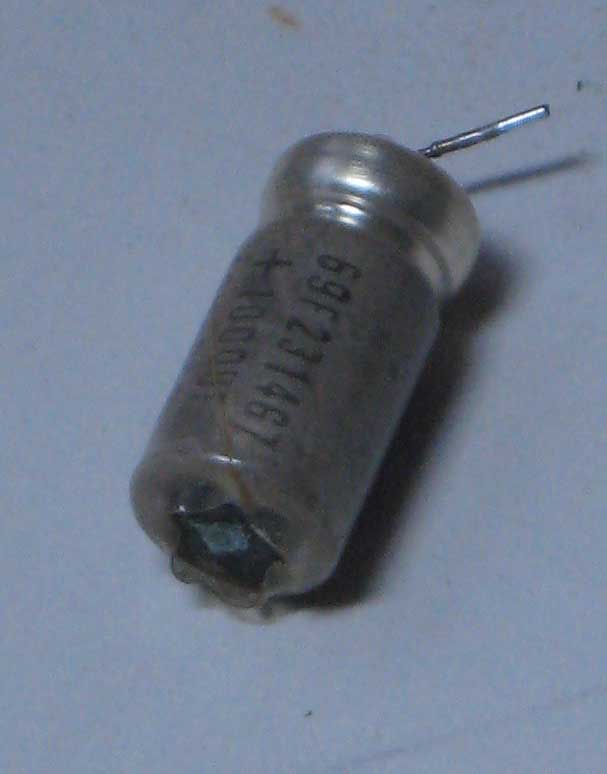
    I found a note on a forum about a person that replaced a power supply cap to get his Fluke 1953A eBay find working, so I suspected that I might have a bad cap. I decided I’d pull all the power supply filter caps and test them out of circuit. I tested capacitance and found that all the capacitors seemed to have better than rated value for capacitance. Next, I built a simple ESR tester and ran that test on them. The 1000uF cap did seem to have a somewhat unusual ESR behavior. After spending a few hours trying some more iterations of the same tests, I finally came to the conclusion that the other caps were almost certainly good. I decided to replace the possibly bad one and found an equivalent replacement at a nearby Radio Shack. I installed all of them and proceeded to try to power on again.

    Once again no display. I started probing with an oscilloscope. What I found, is that I didn’t have any power to the capacitors at all. Probing upstream showed that no power could be found past the on/off switch. After unplugging the unit, I unscrewed the nut holding the switch to the back panel and tested the switch with an ohm meter and found it that was faulty. Luckily I had an equivalent switch in my scrap box.

    Switches

    Switches

    The switch on the left is the original. Note the damage on the top side and the long toggle. I’m guessing that this switch took a hit on the toggle which destroyed the switch.

    I put the new switch in and powered on. This time the unit came to life, and even the self test worked. I’m not sure if the self test was fixed with the power switch swap or the capacitor change, but as long as it continues to work, I’m not going to pursue it further.

    Testing accuracy against my Marconi 2218A reveals that after the oven warms up, the accuracy of the two units is within 10 Hertz thoughout their range. Take a look at this side by side shot of the two units.

    frequency test

    frequency test

    Not bad, for a unit that was last calibrated in 2002. At some point I’ll work on getting the Marconi calibrated by beating it against WWV, after which I’ll be able to calibrate the Fluke against the Marconi.

    Update – I just realized the Marconi has a limit of resolution of 10 Hertz, so these two units are, in effect, in perfect calibration with each other. I guess buying quality equipment does make a difference!

    Amateur Radio General License Exam

    Thursday, November 13th, 2014

    In the USA, there are currently three classes of amateur radio licenses, Technician, General and Extra. Each advancement in class gives the license holder additional broadcast privileges.

    Yesterday, I passed my Amateur Radio (AKA HAM) General License exam. This gives me permission to broadcast RTTY data on a number of additional frequencies over the Technical License that I already held. Though I’m not entirely set up with the software and the hardware I need for RTTY, getting the General License is another step toward getting “on the air”.

    Since passing the General test, allows you free attempt at the Extra test in the same test session, I gave it a try. Out of 50 questions, I had 29 correct, 8 short of what I needed to gain an Extra license. Since I’ve gone this far, and am apparently pretty close to knowing enough to obtain an Extra license, I figure I might as well continue studying for a couple more months and see if I can obtain the Extra license.