
Now for the question – should I call my Apple II rev 0 reproductions Mimeo IIs, even though they came first?
Category Archives: Apple 1
Rev 0 Repro Progress and Retro Workshop Update
Apple II rev 0 Progress
My revision of my original reproduction, the Apple rev 0, is coming along. This morning, I did an extensive design review of the 35th revision, and only found 3 things that needed “fixing”. I’ll probably repeat the effort tomorrow on revision 36. Hopefully that review passes cleanly. If so, I’ll get quotes, pick a vendor and kick off board fabrication next week.
Projects in the Lab
Like usual I have a lot of other projects in progress. Some have been in progress for while, others not. Here is a snapshot of my workshop. It keeps getting more crowded as time goes on.

My Retro Workshop
SCELBI TTY CARD UPDATE
My “LAB” is currently setup for checking out the SCELBI TTY card, which is interfaced to an Apple II serial card, which also supports 110 baud current loop. The hardware is working, but I have to do some software work on the Apple II side of the serial current loop connection in order to make it usable. The standard Apple drivers seem just a bit quirky,as they are tied into Apple II monitor functionality. I was hoping to get by with Apple’s standard PROM drivers, but it looks like I’m going to have write a custom driver for interfacing to the SCELBI. I’m hoping to get the IIe running such that it works just like a real TTY, perhaps eventually including emulating paper tape using floppy discs. I decided to use the IIe instead of a II or IIplus because it supports 80 column output without extra plug in cards.
SCELBI Galaxy
I was hoping to make a video of the SCELBI running tiny SCELBAL basic and the SCELBI Galaxy program, which I recently got running. The Galaxy program is SCELBI’s version of the Star Trek game. It was published as documented source code in the SCELBI book “Galaxy”. I had to OCR a scan of the book and then covert it to the AS8 assembler format that I prefer. This took a considerable effort, but I was able to exactly reproduce the original program. When I first went to download it into a physical reproduction 4K SCELBI 8H, I discovered that there wasn’t enough room in memory for a boot loader and the game. I had to spend a lot of time creating a second version the source code to make it fit into 4K with room for a boot loader, without altering the play of the game. This was particularly difficult as the originally published source, didn’t have labels attached to any of the messages, just hard coded addresses pointing into a huge block of characters. In order to move anything in memory, I had to convert the hard coded addresses to labels and add the label to original block of bytes. Oh yeh, there were some page boundary assumptions that I also had to deal with. It wasn’t easy. Once I get the Apple IIe TTY emulation going, I’ll definitely make the video of both the Galaxy game and tiny SCELBAL running on the 8H.
SCELBI Webpage Update Coming
I have an update to my 8008/SCELBI web pages coming. Right now, there is too much on my 8008/SCELBI page and I’ll break it down to a few smaller pages. One page that needs a lot of work is the SCELBI/8008 software page. I have managed to get a number of 8008 programs running, some new and others, like Galaxy, old programs that I believe haven’t been run in decades. I need to set up a dedicated software page in order to share them all, plus the cross development tools that I have used to develop them. Most 8008 software from the era will need to have I/O drivers tweaked in order to run in a particular environment, so I will need to publish source and tools. Some of the software, I didn’t develop, so I need to get permission from creators. I would also like to find time to covert my SCELBI blog posts, along with original documention into some kind of book form, as information about building a SCELBI is rather scattered around. I don’t know when or if I will get around to this, but I am motivated, as I think better documentation might help me to sell more SCELBI board sets.
Apple IIplus
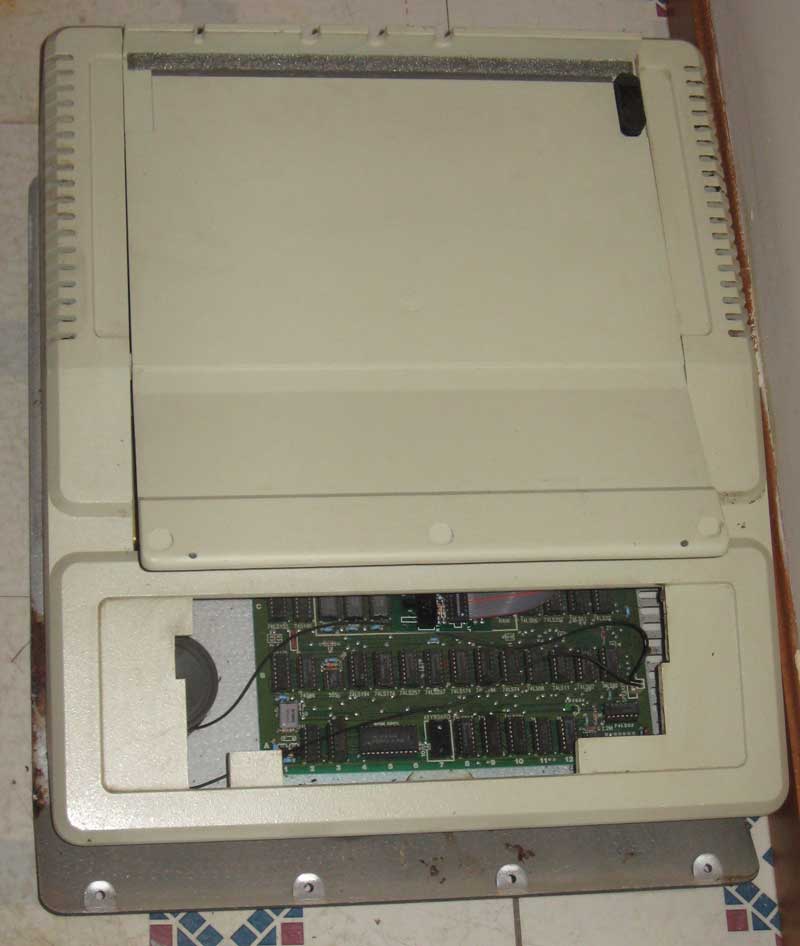
Apple IIplus
At top of the first picture you can see the keyboard for an Apple II plus that I recently picked up as part of a Craig’s list transaction. My intention is to clean up and repair this Apple IIplus for resale. I think it will make a good first II plus system for someone, since it has a pretty late serial number along with an RFI board. My experience with those later systems with RFI boards is that they tend to be more reliable than earlier systems. In fact, except for some keyboard issues, this system came in working condition. As you can see by comparing the inside of the top with the rest of the case, the plastic hasn’t yellowed much, if at all, so it should clean up real nicely.
TRS-80
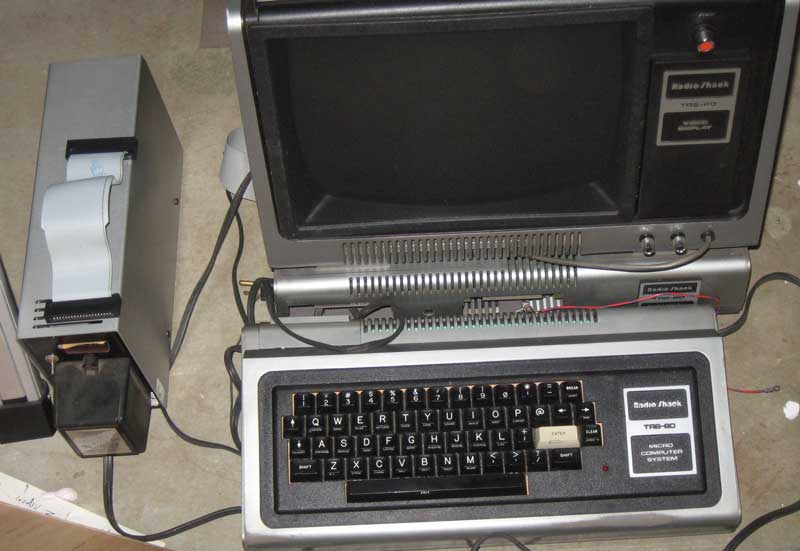
TRS-80
Along with the IIplus, I picked up a TRS-80 system, with expansion chassis and floppy drive, along with documentation. It doesn’t work, but it should be a fun project to fix up. I can’t decide whether I will keep or flip it. Initially I was going to add it to my collection, but the engineering isn’t what I’m used to, so I’ve already somewhat soured on it. A friend of mine had a TRS-80 briefly, back in the 70’s, but took it back and got an Apple II. Having played with his TRS-80 briefly in the 70s, is what spurred my interest in having one, now. If I keep it, I’ll need to get a Commodore Pet in order to have one of each of the first machines of the “big three” computer manufacturers of the 70’s.
I keep telling people that I’m not a serious collector, as I like to work on, learn about and operate these old machines. I don’t usually acquire vintage computers, just to own, which is a sign of a serious collector. However, as you can see from this blog post, I seem to continually find ways to increase my “backlog” of projects.
Mimeo PCBs now available
I now have the latest batch of Mimeo PCBs in stock – same price as before – $150 plus shipping.
Send an email to:mike@willegal.net if you need more details about ordering.
A reproduction white 6502 … and comments on reproductions and fakes…
The immediate reason for this post, is that an Apple 1 reproduction now sports a plastic 6502 that has been converted to look like a white ceramic 6502. Details of this conversion can be found on the retro-restore yahoo group. I plan on converting one of my own, as I’m not that excited about the price of real ones. Also be aware that many of the white ceramic 6502s that have recently come to market were pulled from interesting vintage gear, like Kim-1s or arcade games, a practice I have mixed feelings about.
I’ve heard from several people over the years about the risk of reproduction parts and systems being sold as the real thing. As the popularity of the vintage computer hobby and value of the rare vintage systems increases, it is inevitable that new kinds of reproductions will appear.
My position on reproduction components and systems is that they will allow people who couldn’t otherwise afford to operate the real thing to get a better understanding of this vintage technology and have some fun. The closer the reproductions are to the real thing, the more accurate the experience will be and the more we will learn about the original systems and the history of computing. Usage of reproductions instead of originals also saves wear and tear on original systems.
A number people get great enjoyment from making a reproduction that both operates and appears as authentic as possible. This is similar to the enjoyment that skilled craftsman in other hobbies get from their efforts to make life size and scale reproductions of everything from stone tools to railroad empires. We should enjoy our hobby and marvell at the skill some of our friends, who go the extra mile to make their creations as accurate as they can.
One of the favorite things that I have heard during a VCF event, was when one visitor commented that he never thought he would ever get to operate an Apple 1. Of course he was operating a Mimeo, but to that visitor, it didn’t matter that it was a reproduction. So reproductions can give enjoyment not only to hobbyist, but to visitors to our hobby.
The best thing that can be done to defend ourselves from fakes, is to be made aware of the possibilities and educate ourselves as much as possible. This is one reason why I created the Apple 1 Registry. In this respect, I think the registry has been a success, as, since the registy’s creation, I am unaware of anyone trying to pass off a fake Apple 1 as real. However, be aware that some time ago, there was an attempt on eBay to pass off an Obtronix Apple 1 clone as the real thing, so I will not be surprised when it happens again.
A beautiful Apple 1 (and more) up for Auction
This Apple 1 motherboard is in fantastic condition for a 37 year old computer and includes most of the original add ons that you would want, including an original box and documentation. It is listed in my registry as “Framed #4”.
http://www.breker.com/ReadMore/
There are also a few other gems for sale, including a twiggy Macintosh, a Lisa 1, a SOL 20 and an Altair. I have a catalog of the auction scheduled for November 16th and it is filled with many other interesting vintage toys, scientific instraments and more.
I had the pleasure of meeting with the Brecker’s for a couple of hours back in August while they were on a business trip to the United States. It was very interesting to talk to them and I really wish them further success with their technology auctions.
By the way, I need to update the registry. People have continued to fix up their Apple 1s, so I’ve got a more up to date image of one unit that received some serious love over the last few months. I also need to add couple of new Apple 1s. I forgot to add the one in the history San Jose museum during last update and another one came to my attention immediately after the last update. Finally, I figured that units that are discussed in either Tom Owad’s book “Back to the Garage”, or Bob Luther’s “The First Apple”, should have that called out in the registry listing.
Next batch of Mimeos are on order
They are do to arrive around the first week of November.
Apple 2 Rev 0 and Mimeo PCB update
I’ll be ordering my next batch of Mimeo’s sometime in October and be able to start shipping PCBs sometime in November. Keep an eye on this blog for an announcement in November. This version will fix a couple of minor issues in the silk screen layer, but the copper and mask layers will be identical with the last version.
I’m completely going over the Apple II rev 0 reproduction PCB layout. This was the first reproduction PCB that I did and either my skills or my standards have gone up. I’m tweaking a lot of minor issues, mostly on the front of the board, particularly on the silk screen layer. The average person will not notice any difference, but some Mimeo builders have turned out to not be average people. The first time around, I didn’t have a really good bare board image of the front side, only the poor photocopy of a bare board that can be seen in the “Red Book”. Since that time, a couple of bare board, rev 0 PCBs have turned up, and I have a really good scan of the front of one of them. Anyway, I’m mostly done with the tweaking, and only need to fix a few minor things and do a good bit of design checking. I hope to have boards made and ready to ship by the end of the year. With all the tweaking I’m doing, I’ll have to build one, before shipping, just to make sure I didn’t mess something up.
Mimeo Silk Screen Error and Fix
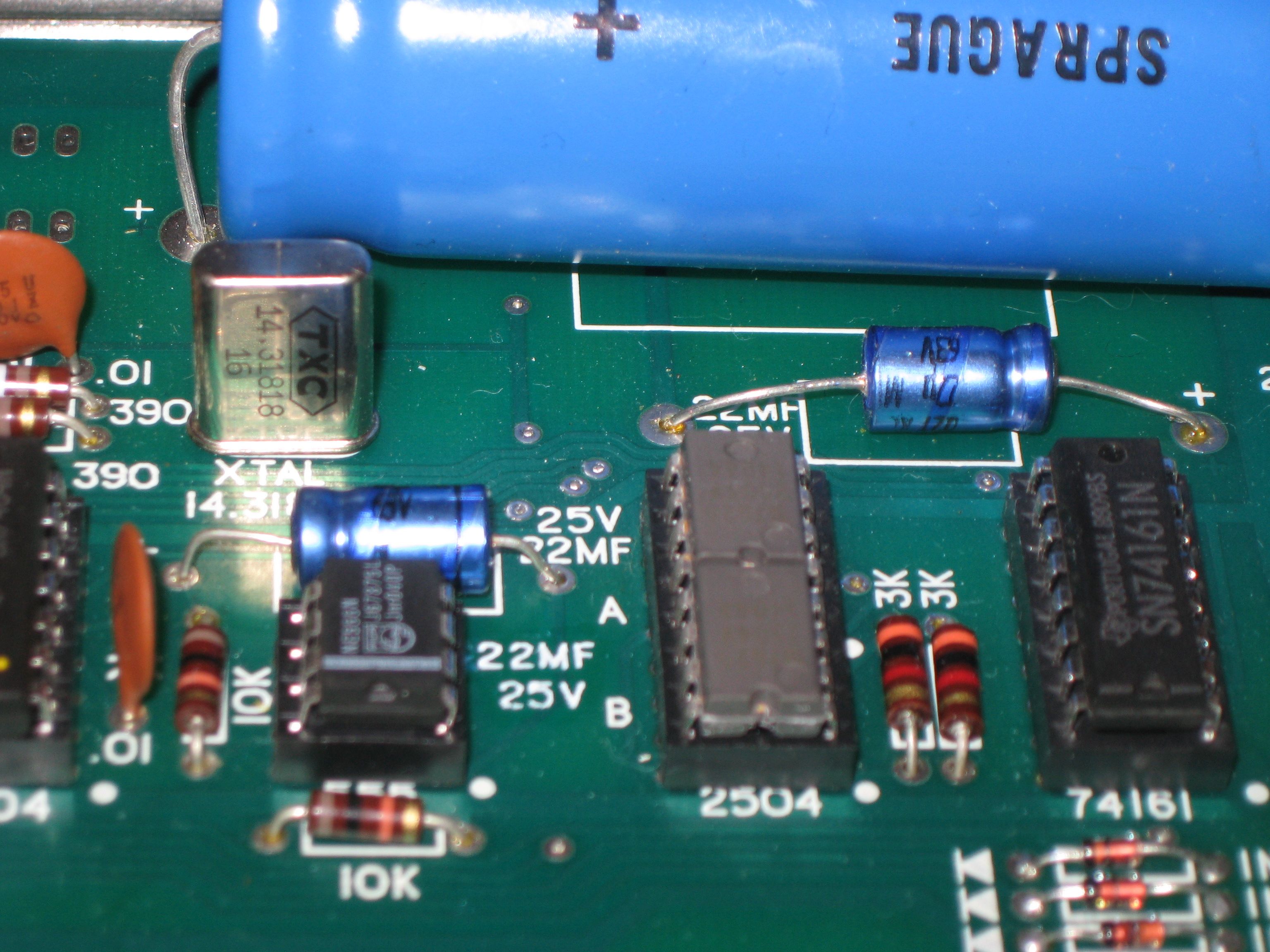
Fixed – extra 22MF 25V legend
The lower 25V 22MF legend in this picture was a feature of the non-NTI Apple 1s. The legend is a duplicate of the one slightly higher up in the image and was removed for NTI series production.
The Mimeo is a NON-NTI clone and is missing this duplicate legend. Note that I had been shipping Mimeos several years before anyone brought this to my attention. Future production Mimeos will have this error rectified.
As can be seen in the image above, I have found a fix for the missing legend for existing Mimeo owners. This is water slide decal that I have printed. If you are a Mimeo owner, I’ll ship you several decals (extras in case you make a mistake) for a shipping and handling charge of $10.00. If you are a Mimeo owner and happen to be ordering kits, PCBs or any other stuff, let me know you want them and I’ll add a few copies of the decal into your shipment for free.
To apply the decal follow the this procedure.
Apple 1 Microchess Running
This is something that I had intentions of getting going for a long time and finally succeeded.
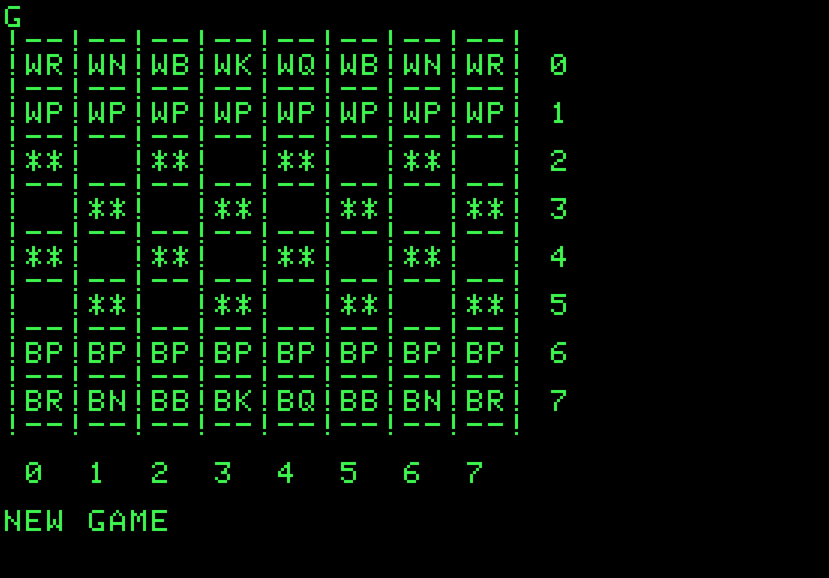
Microchess in emulation
I just added an Apple 1/Ipod compatible AIFF file of the version of Microchess that was available on the applefritter website. I also took the trouble to figure out the user interface, which was not obvious.
check it out on my Apple 1 software page:
http://www.willegal.net/appleii/apple1-software.htm
Kit and PCB availability Status
Here is a summary of status of kits and PCB availability
email: mike@willegal.net if you have any questions